AI Tax Insights from the books you already keep
Stop finding out what you owe in April.
A rough idea of your tax bill in October beats a surprise in April. Tax Insights reads the books you already keep and shows an estimate and the savings worth asking about, while there is still time to act.
14-day free trial · No credit card required
Included in: Pro and above
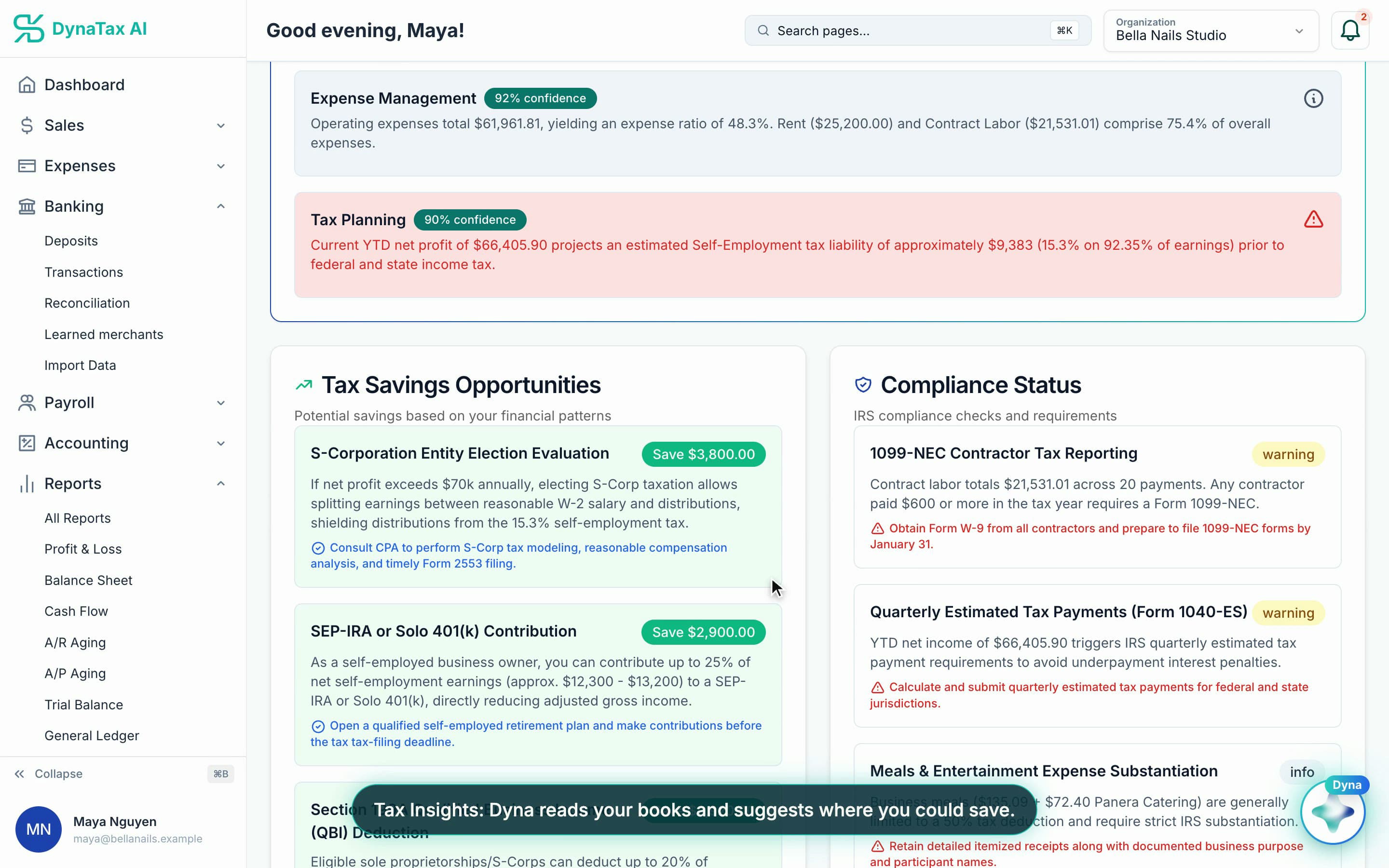
Savings opportunities with an estimate beside each. Sample data.
What it does
An estimate of what you will owe, and where the deductions are, built from your own books.
Your entity, your brackets
The estimate follows your entity type, current-year brackets, self-employment tax and state — not a flat percentage.
Reads your actual books
Income, expenses and margins come from your ledger, so the number moves as the year does.
Points at the deductions
Signals where deductions are sitting unclaimed, in the categories you are already using.
How it works
How AI Tax Insights works
- 1
Keep your books current
Insights read your ledger, so the estimate is only as current as your categorization.
- 2
Open Tax Insights
Your entity type, income, expenses and margins are read and the estimate is built.
app.dynatax.ai/client/…/dashboard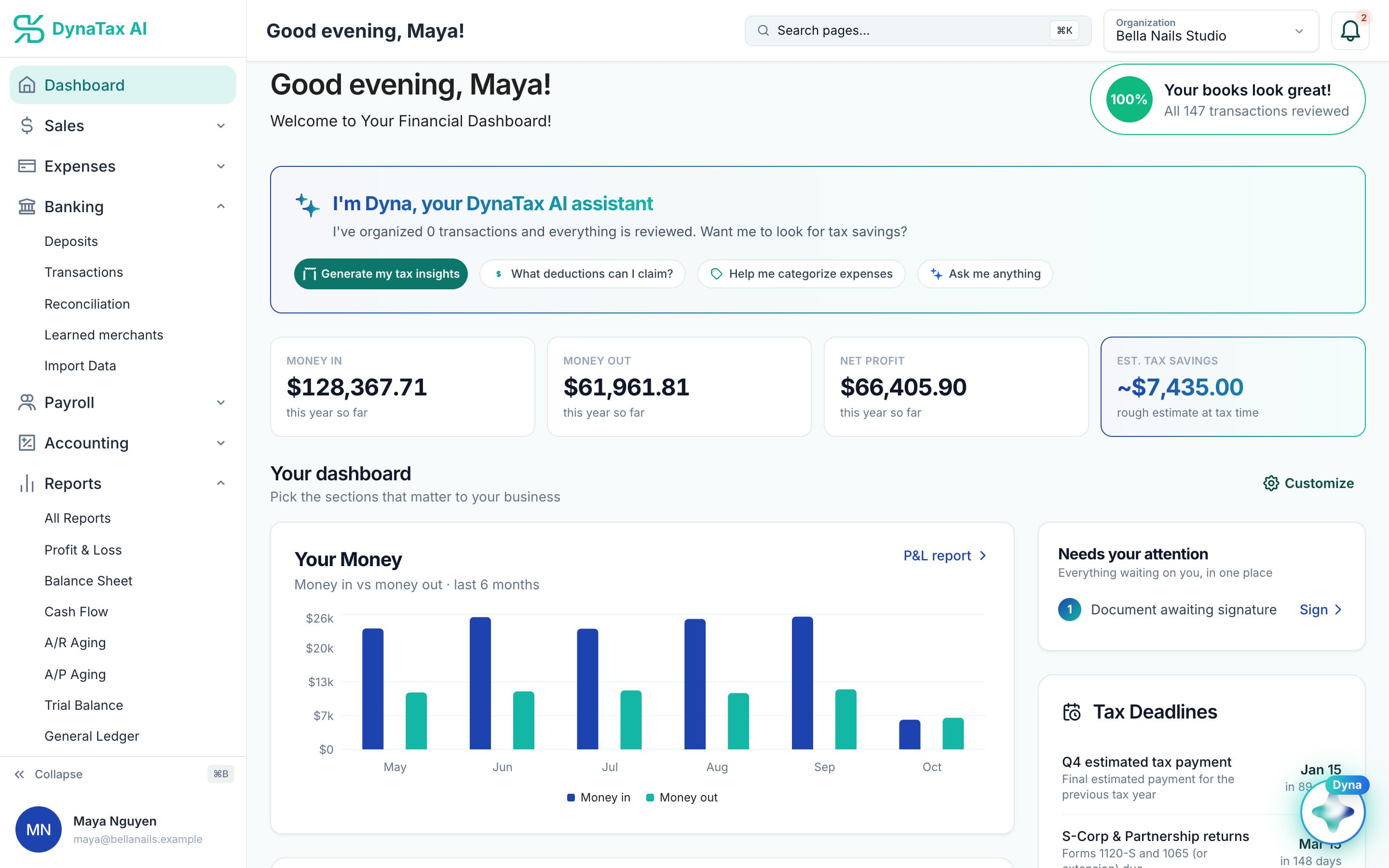
Start from the dashboard in one tap.
- 3
Act before year end
Deduction signals and the running estimate are useful in October in a way they are not in April.
app.dynatax.ai/client/…/dashboard/financial/tax-insightsDeadlines and forms your books point to, like 1099-NEC and estimated payments.
The details
AI Tax Insights, in detail
Patterns in your own numbers
Dyna reads your income, expenses and margins and writes plain notes, such as where most of your spending goes or what your year-to-date profit means for self-employment tax.
Savings worth a conversation
Savings opportunities come with an estimated amount and a next step, such as evaluating an S-Corporation election or opening a SEP-IRA. Each one is a prompt to discuss with a tax professional, not a decision made for you.
Compliance reminders
Compliance notes flag things like an upcoming quarterly estimated tax payment, or a batch of low-confidence transactions that still need review before you rely on the numbers.
Shows how sure it is
Each insight carries a confidence badge, so you can tell a firm finding from a softer one. Insights are cached for a day, so opening the page again doesn’t use more of your AI allowance.
Trust
Your books, on your terms
Read-only bank connection
You sign in on your bank’s own screen. DynaTax AI can see balances and transactions. It can’t move money.
You stay in control
Nothing posts without your approval, except merchants you’ve already confirmed above the auto-post threshold.
Your data isn’t training data
Your data isn’t used to train AI unless you turn on Allow AI Training. It’s off by default.
A professional when you want one
Invite your own CPA into your books, or find one in the marketplace. Dyna’s answers are general information, not professional advice.
Plans
Where AI Tax Insights is included
Pro and above. Every plan starts with a 14-day free trial, no credit card required. Pay yearly and get 12 months for the price of 10.
Bring your books with you: import transactions, your chart of accounts, opening balances, customers, vendors, invoices and bills from CSV, Excel or a QBO/OFX bank download. Switching from QuickBooks
- Starter$29 / month · 1 user
- GrowthRecommended$49 / month · 3 users
- Pro$99 / month · 10 users
Related features
Works well with
FAQ
AI Tax Insights questions
Run your business. Live your life.


Try AI Tax Insights with your own books for 14 days. Less time on the books, more time for everything else.
No credit card required