Bank sync that keeps your books current
Connect once. Your transactions arrive on their own, every day.
Connect your business accounts once and stop downloading statements. New transactions arrive every day, already queued for review, so keeping your books current takes a few minutes a week instead of an evening at month end.
14-day free trial · No credit card required
Included in: Every paid plan
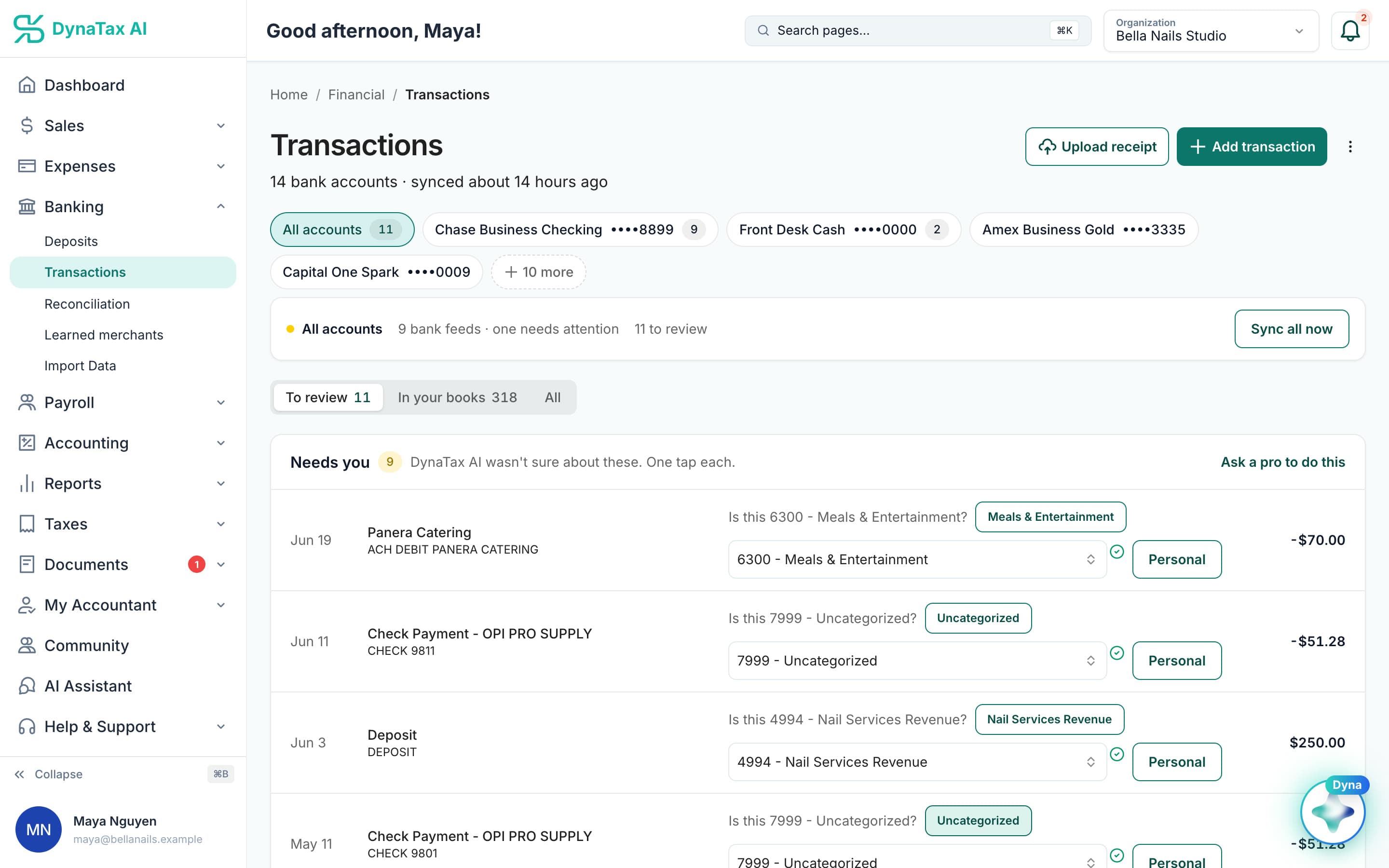
Every connected account, when it last synced, and what is waiting for you.
What it does
A secure, read-only connection to your bank, with transactions imported every day.
Read-only by design
The connection can see transactions. It cannot move money, and nothing in DynaTax AI can initiate a payment from your account.
Daily, not on demand
A scheduled sync pulls new transactions every day, so opening your books never starts with an import.
Built for US banks
Connect the accounts your business uses at US banks. Balances and transactions come across together.
How it works
How bank sync works
- 1
Connect your account
Pick your bank and sign in through your bank's own screen. Your credentials are never typed into DynaTax AI.
- 2
History comes with it
Existing transactions import so your books start with a past, not an empty ledger.
app.dynatax.ai/client/…/dashboard/financial/transactionsNew transactions land in To review, each with Dyna’s suggestion.
- 3
It keeps going
New transactions arrive daily and go straight into the categorization queue.
app.dynatax.ai/client/…/dashboard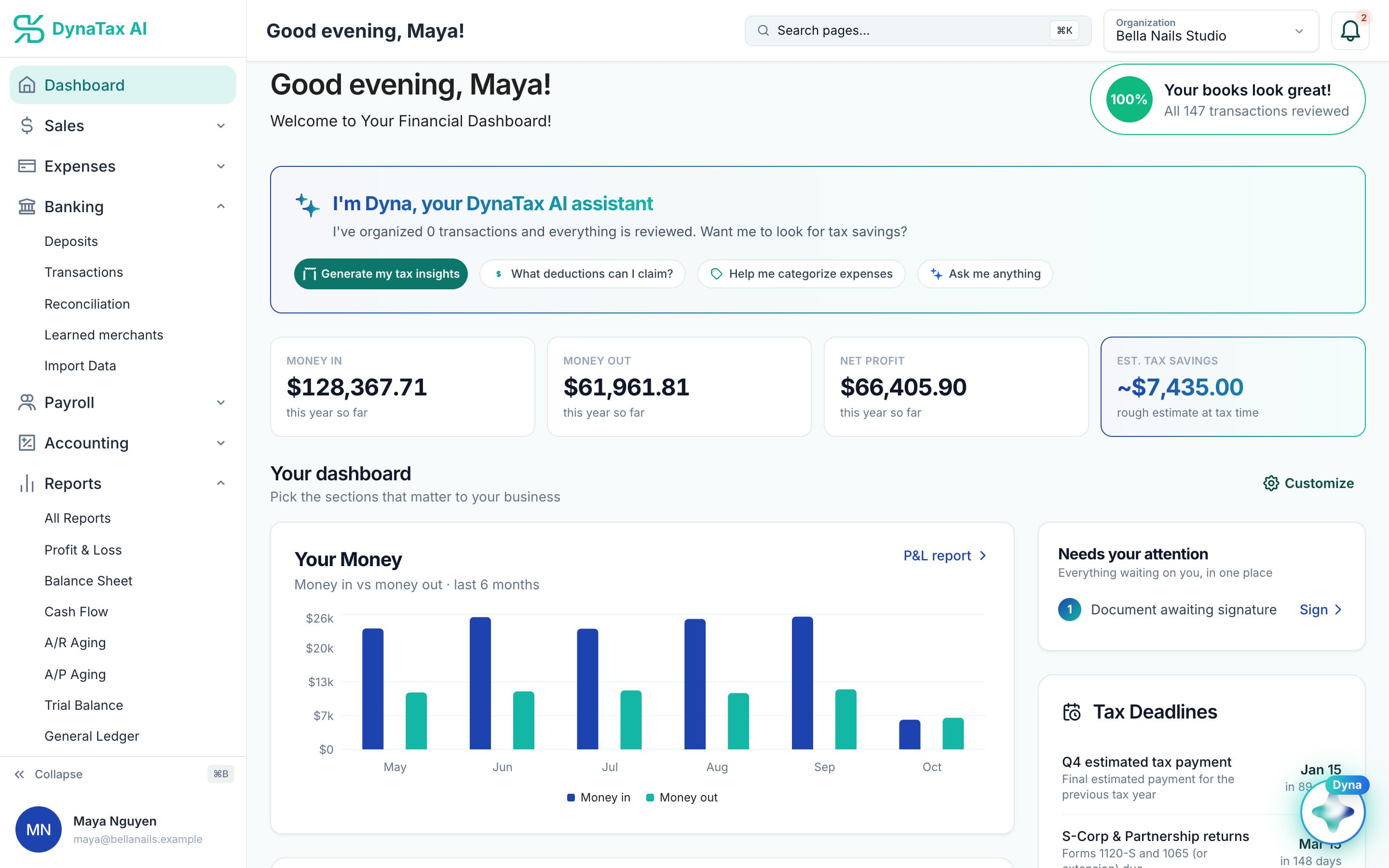
Money in, money out and net profit stay current as the feed runs. Sample data.
The details
Bank sync, in detail
Every account on one screen
Checking, savings and card accounts sit side by side on the Transactions page. Filter to one account with a tap, or see all of them together with a count of what still needs your review.
You choose what is shared
You sign in on your bank’s own screen and pick which accounts to share. DynaTax AI never sees or stores your online banking password. The connection is permissioned for balances and transaction history only.
Sync now when you need it
The daily sync runs on its own. Each account shows when it last synced, and a Sync all now button pulls the latest activity before a meeting or a payment decision.
Removing a connection is safe
If you disconnect an account, the transactions already imported stay in your books. Only future syncing stops. If a bank asks you to sign in again, reconnect from Banking and syncing picks back up.
Trust
Your books, on your terms
Read-only bank connection
You sign in on your bank’s own screen. DynaTax AI can see balances and transactions. It can’t move money.
You stay in control
Nothing posts without your approval, except merchants you’ve already confirmed above the auto-post threshold.
Your data isn’t training data
Your data isn’t used to train AI unless you turn on Allow AI Training. It’s off by default.
A professional when you want one
Invite your own CPA into your books, or find one in the marketplace. Dyna’s answers are general information, not professional advice.
Plans
Where bank sync is included
Every paid plan. Every plan starts with a 14-day free trial, no credit card required. Pay yearly and get 12 months for the price of 10.
Bring your books with you: import transactions, your chart of accounts, opening balances, customers, vendors, invoices and bills from CSV, Excel or a QBO/OFX bank download. Switching from QuickBooks
- Starter$29 / month · 1 user
- GrowthRecommended$49 / month · 3 users
- Pro$99 / month · 10 users
Related features
Works well with
FAQ
Bank sync questions
Run your business. Live your life.


Try bank sync with your own books for 14 days. Less time on the books, more time for everything else.
No credit card required