Financial reports from today’s books
The statements your bank, your CPA and your board actually ask for.
Know where the business stands without waiting for month end. Profit and Loss, Balance Sheet and Cash Flow read your books as they are right now, so a lender, a partner or your CPA gets a current answer in a minute.
14-day free trial · No credit card required
Included in: Every paid plan
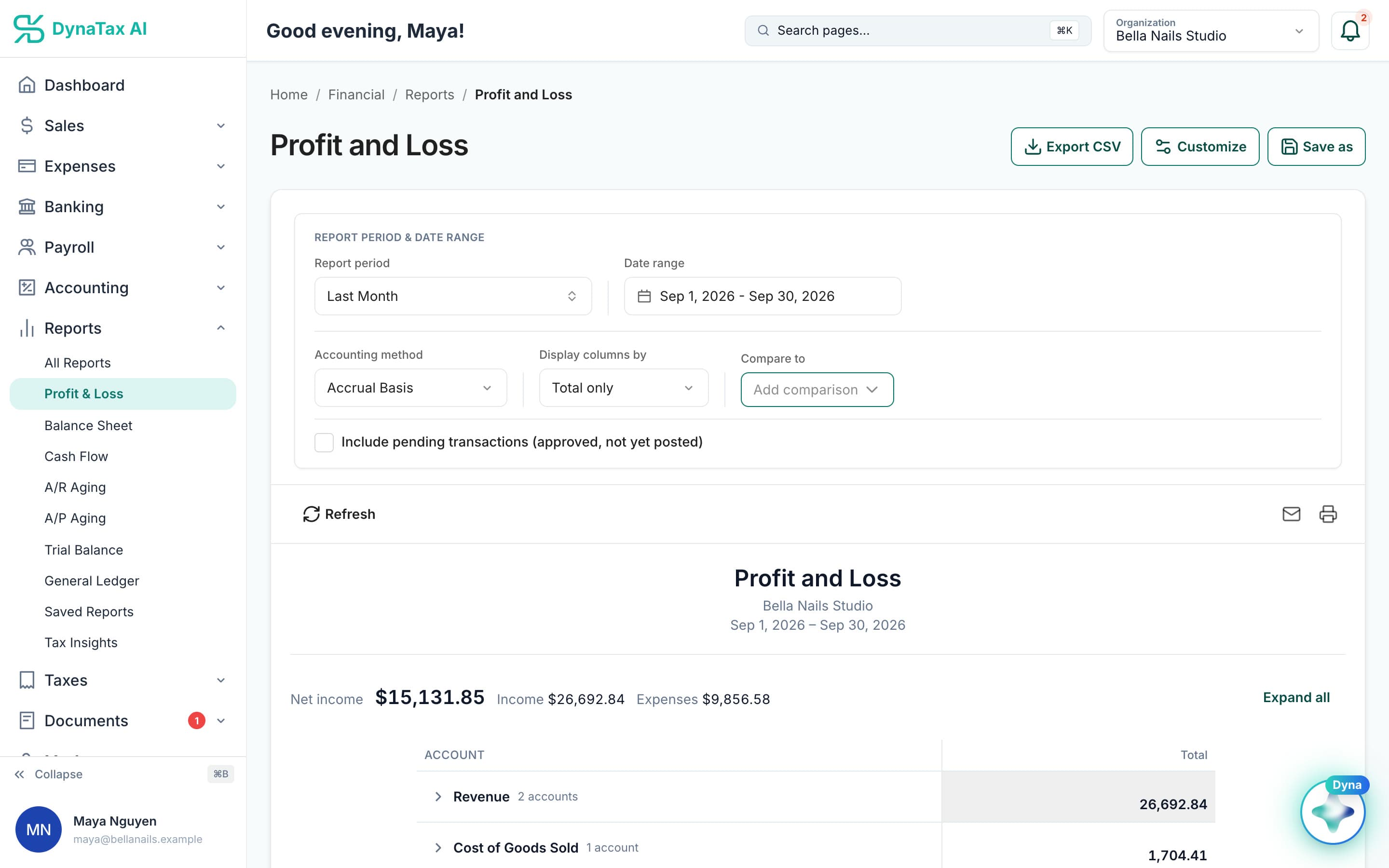
Profit and Loss from live books. Sample data.
What it does
P&L, Balance Sheet, Cash Flow, General Ledger, Trial Balance and aging — from live data.
The full statement set
Profit and Loss with monthly and comparison views, Balance Sheet, Statement of Cash Flows, General Ledger, Trial Balance, and receivables and payables aging.
Live, not rebuilt
Reports read your books as they stand right now. There is nothing to regenerate before a meeting.
Export and save
Take any report to PDF, or save a configuration you run every month.
How it works
How financial reports works
- 1
Pick the report
Profit and Loss, Balance Sheet, Cash Flow, General Ledger, Trial Balance, or receivables and payables aging.
The full report set, one click each.
- 2
Set the period
A month, a quarter, a year, or a comparison against the period before.
app.dynatax.ai/client/…/dashboard/financial/reports/profit-and-lossPick the period, the basis and a comparison.
- 3
Export or save it
Take it to PDF, or save the configuration so next month is one click.
app.dynatax.ai/client/…/dashboard/financial/reports/cash-flow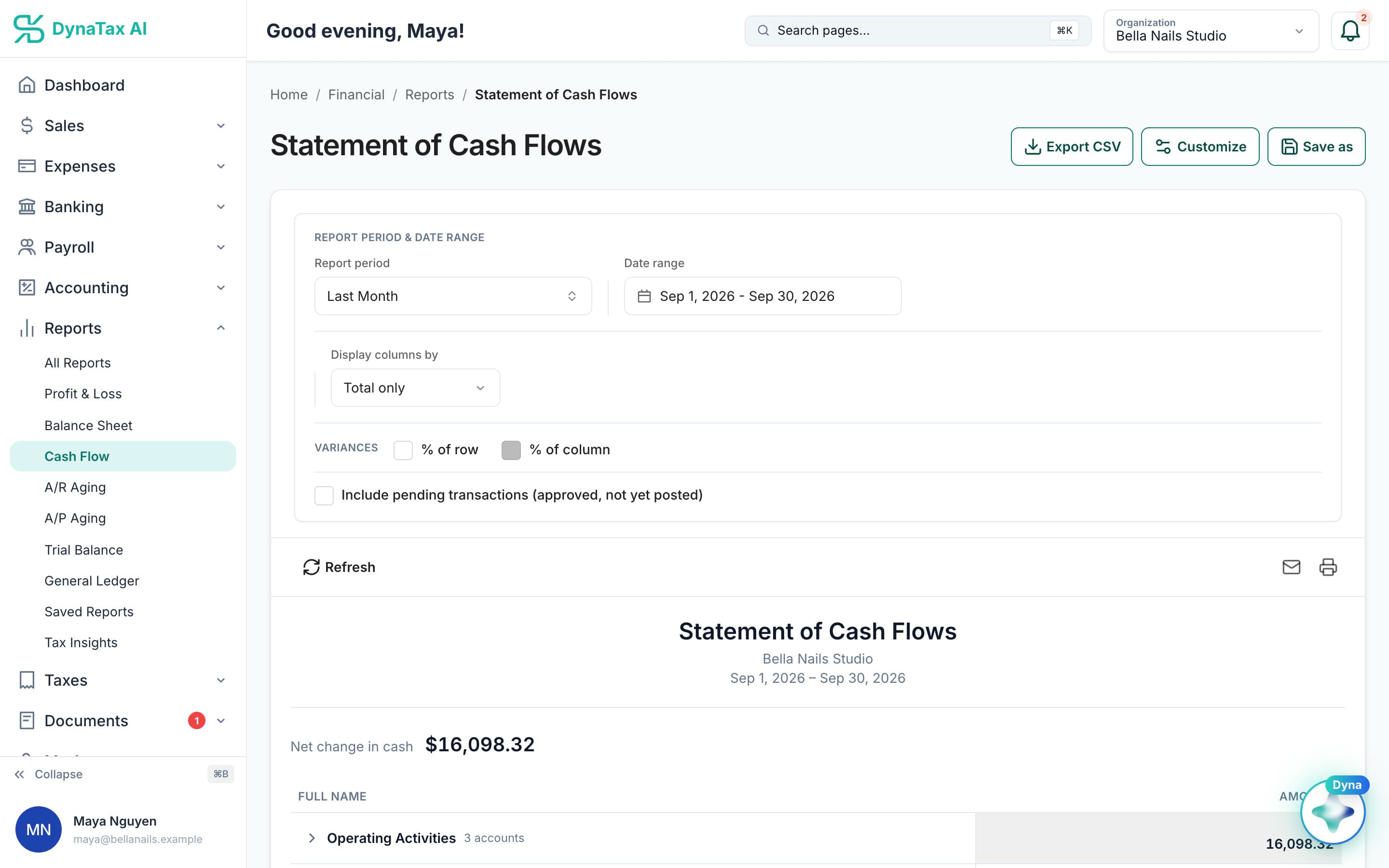
Statement of Cash Flows for the same period. Sample data.
The details
Financial reports, in detail
Cash or accrual, your choice
Every report runs on cash or accrual basis. Cash shows when money moved, which matches your bank. Accrual shows when you earned it or incurred it. Ask “can I pay?” on cash and “did I earn?” on accrual.
Compare like with like
Compare a report with the previous year, the previous period, or any custom range. For a seasonal business, last year’s same months tell you more than last month does. P&L by Month spreads a period into columns.
Reports that check the books
When a number looks wrong, the Trial Balance, General Ledger, Transaction Report and Subledger Tie-Out show exactly what made a balance what it is, and where detail and totals disagree.
Share it in the format asked
Export to CSV or PDF, print, or send a report by email. Save a report setup you run every month under Saved Reports, and you can include approved transactions that haven’t posted yet.
Trust
Your books, on your terms
Read-only bank connection
You sign in on your bank’s own screen. DynaTax AI can see balances and transactions. It can’t move money.
You stay in control
Nothing posts without your approval, except merchants you’ve already confirmed above the auto-post threshold.
Your data isn’t training data
Your data isn’t used to train AI unless you turn on Allow AI Training. It’s off by default.
A professional when you want one
Invite your own CPA into your books, or find one in the marketplace. Dyna’s answers are general information, not professional advice.
Plans
Where financial reports is included
Every paid plan. Every plan starts with a 14-day free trial, no credit card required. Pay yearly and get 12 months for the price of 10.
Bring your books with you: import transactions, your chart of accounts, opening balances, customers, vendors, invoices and bills from CSV, Excel or a QBO/OFX bank download. Switching from QuickBooks
- Starter$29 / month · 1 user
- GrowthRecommended$49 / month · 3 users
- Pro$99 / month · 10 users
Related features
Works well with
FAQ
Financial reports questions
Run your business. Live your life.


Try financial reports with your own books for 14 days. Less time on the books, more time for everything else.
No credit card required