
Run your business. Live your life.


Spend less time figuring out accounting software. DynaTax AI helps you organize your books, understand your numbers, and know what to do next.
14-day free trial · No credit card required
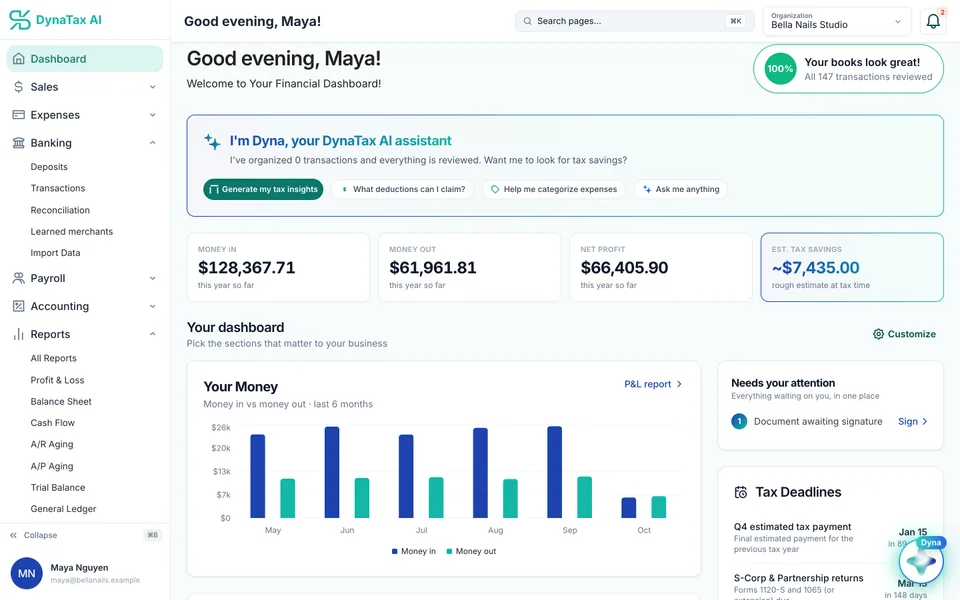
Product screen with sample data
See how simple it is
Bookkeeping, one confirmation at a time.
A bank transaction comes in. Dyna suggests a category. You confirm it, and it’s in your books. Try it with sample data, no signup needed.
DynaTax AI already has a guess
Panera Catering came in from your bank feed. DynaTax AI suggests 6300 - Meals & Entertainment. Tap the suggestion to confirm it.
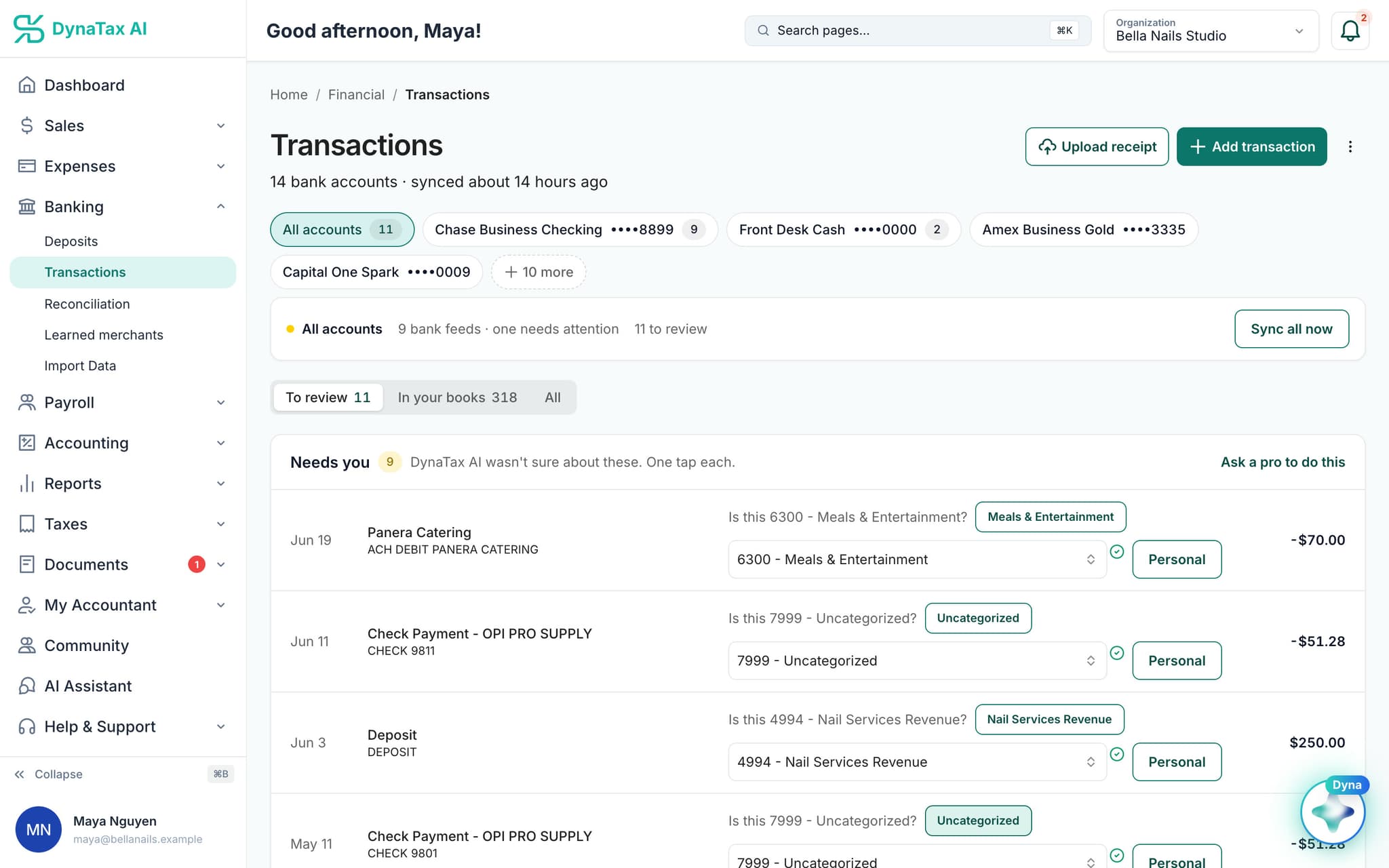
Now do it with your own books.
Connect your bank and DynaTax AI starts sorting your transactions for review.
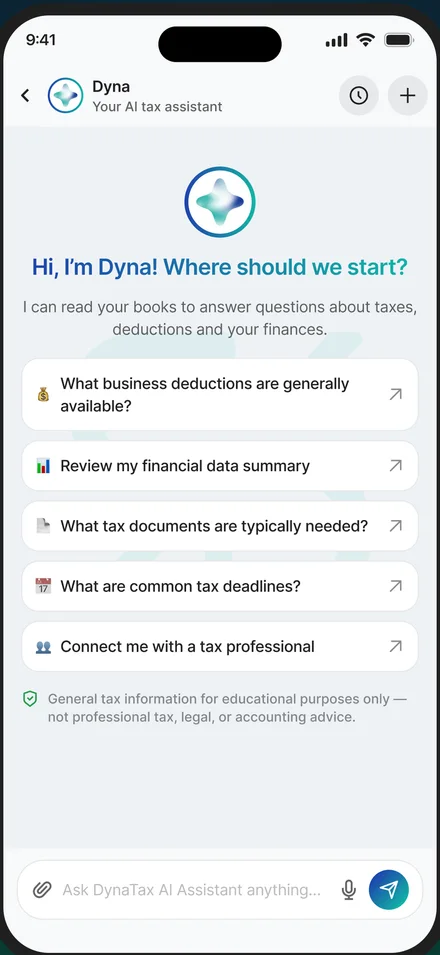
Ask Dyna
Ask Dyna one question, free
Taxes, bookkeeping, deadlines. Dyna answers and lists its sources. No account needed.
One free question, no account needed · Business plans start with a 14-day free trial — no credit card required · See plans and pricing
What DynaTax AI does
Everything your business runs on, in one place.
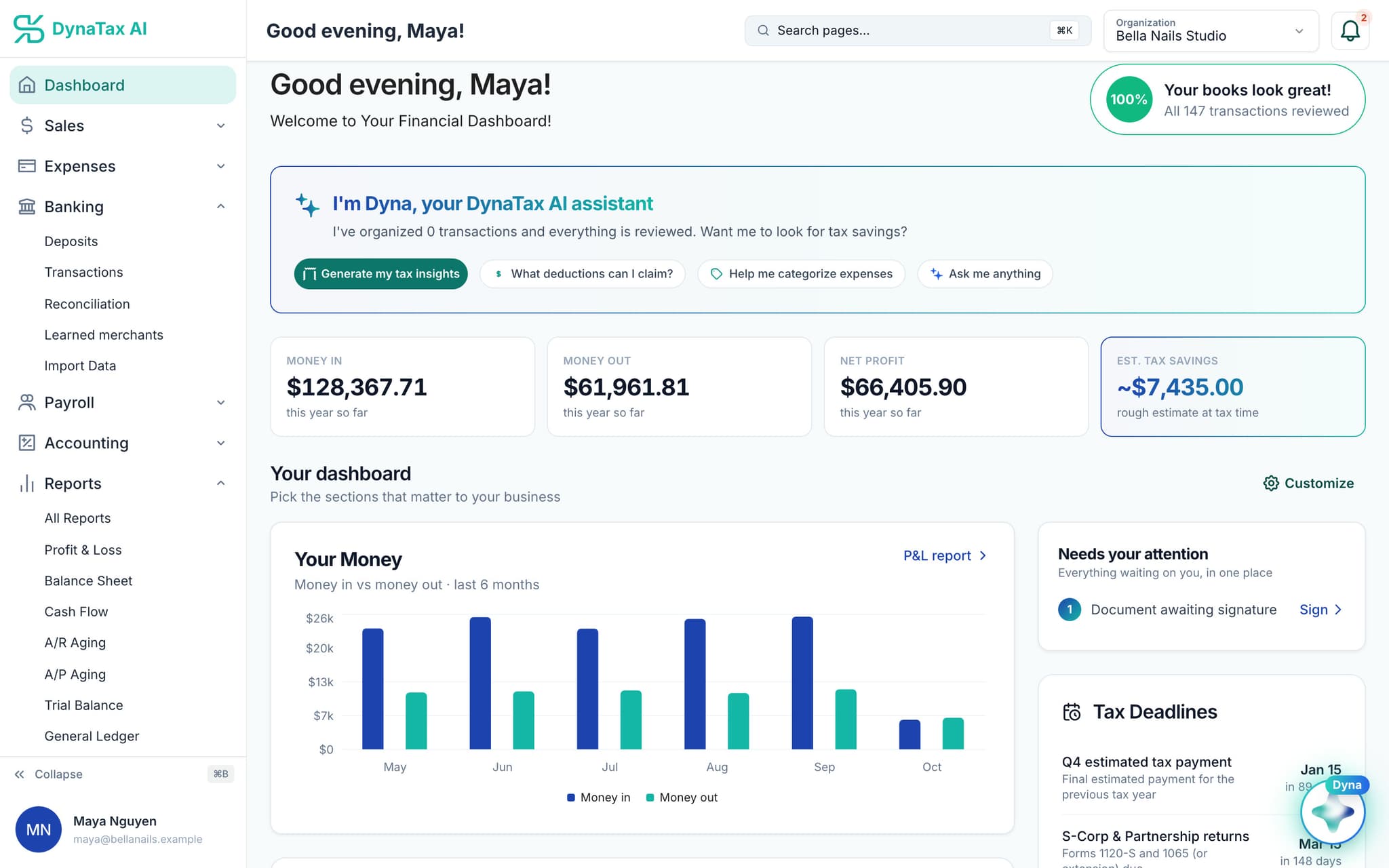
Know where you stand at a glance.
Money in, money out and net profit for the year, a rough tax estimate, and one list of what needs your attention.
- Your Money: money in vs out, last 6 months
- Needs your attention, in one place
- Tax deadlines ahead
Trust
Can I trust it with my business finances?
What your bank connection can do
- Can:See balances
- Can:See transactions
- Can’t:Move money
- Can’t:Start a payment from your account
Read-only by design · You sign in on your bank’s own screen
Read-only bank connection
You sign in on your bank’s own screen. DynaTax AI can see balances and transactions. It can’t move money.
You stay in control
Nothing posts without your approval, except merchants you’ve already confirmed above the auto-post threshold. You can forget a learned merchant any time.
Your data isn’t training data
Your data isn’t used to train AI unless you turn on Allow AI Training. It’s off by default.
A professional when you want one
Invite your own CPA into your books, or find one in the marketplace. Dyna’s answers are general information, not professional advice.
Switching from QuickBooks
Core bookkeeping in every paid plan.
From $29 a month.
Your QuickBooks export
Desktop or Online · download your files
- CSV
- Excel
- QBO / OFX
DynaTax AI · Import Data
Each file is checked before anything is written
- Transactions
- Chart of accounts
- Opening balances
- Customers
- Vendors
- Invoices
- Bills
Review & reconcile
Dyna sorts new transactions for your approval
- Needs you
- In your books
Your bank feed, sorted for review
Dyna suggests an account for each transaction with a confidence score. Nothing posts without your approval, except merchants you’ve already confirmed.
Bring your QuickBooks history
Upload your exports: transactions, chart of accounts, opening balances, customers, vendors, invoices and bills. Run both side by side during your trial.
Pay less for the same team
Growth is $49 a month for 3 users. QuickBooks Online Essentials lists at $85 a month for 3 users.*
* QuickBooks Online list prices from quickbooks.intuit.com/pricing, checked Oct 18, 2026, before introductory offers. QuickBooks is a trademark of Intuit Inc.
Pricing
Simple plans. No feature maze.
Starter
$29/ month · 1 user
Core bookkeeping, bank feeds, reconciliation and reports
Growth
$49/ month · 3 users
Everything in Starter, with more users, storage and AI queries
Pro
$99/ month · 10 users
Adds inventory and cost of goods sold, fixed assets and AI Tax Insights
Every plan starts with a 14-day free trial. No credit card required. Pay yearly and get 12 months for the price of 10.
Tax professional? Solo Pro: $0 for 6 months, then $39.99/month. Create a pro account
The DynaTax AI app
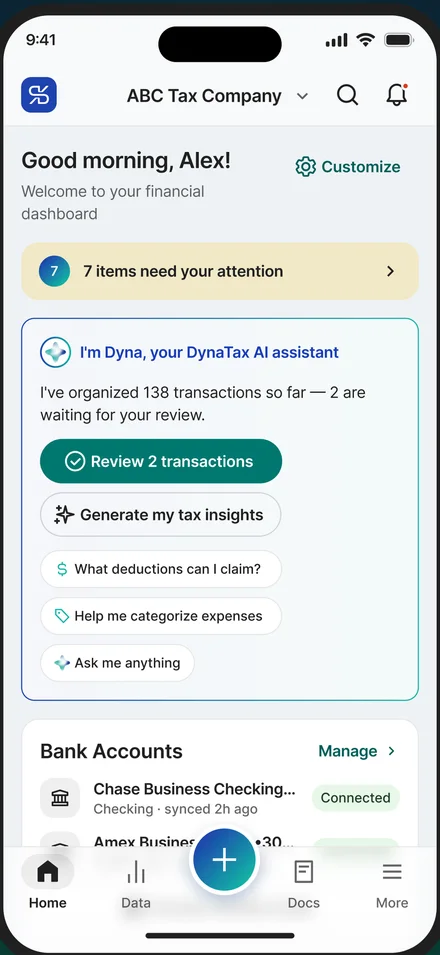
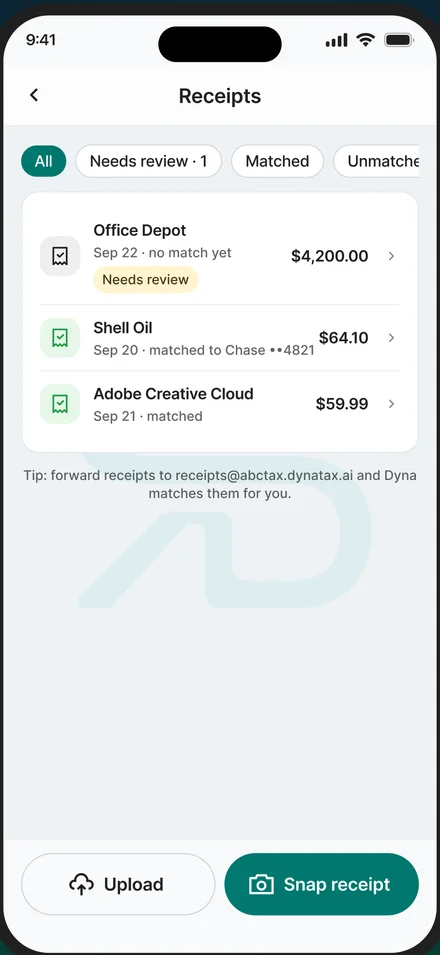
Run your business from your phone
The same books on iPhone and Android, so the work gets done where you are and the evening stays yours. Sign in with your DynaTax AI account; everything stays in step with the web.
- Snap a receiptTake a photo at the counter. It is read, filed and matched to the transaction it belongs to.
- Get paid from the jobSend an invoice in a minute, take a card payment or write a sales receipt, and see what is still out.
- Log the driveRecord mileage trip by trip at the current IRS rate, and keep bills and vendors in one place.
- Talk to your tax proMessage, share documents, start a video call and sign what needs signing, without leaving the app.


FAQ
Frequently asked questions
Run your business. Live your life.
Accounting without the learning curve. Try it with your own books for 14 days.
No credit card required