Recurring bills & invoices
The predictable half of your books, entered once.
Rent, software and monthly retainers shouldn’t need typing every month. Set each one up once and it appears in your books on schedule, so the predictable part of your bookkeeping takes care of itself.
14-day free trial · No credit card required
Included in: Every paid plan
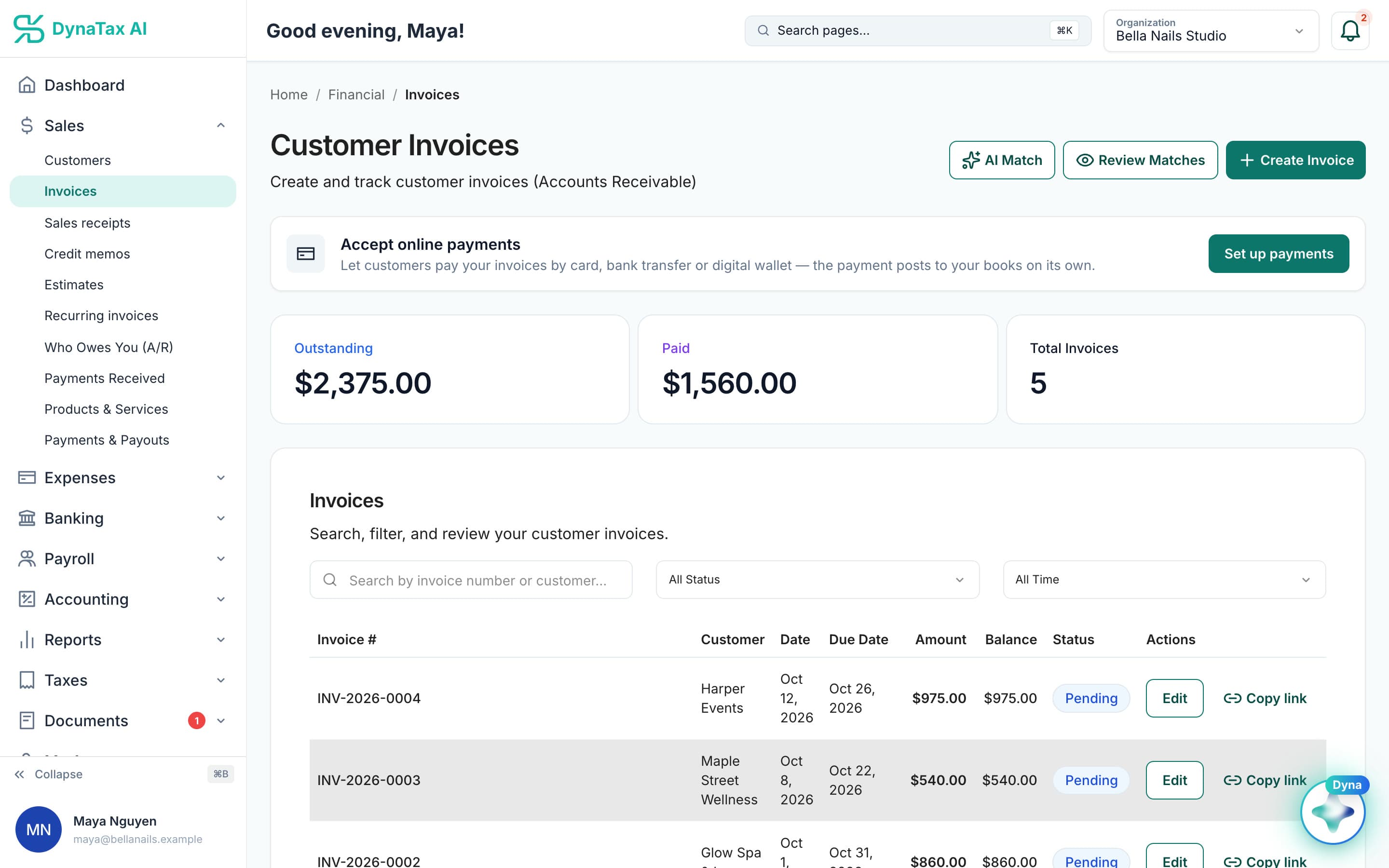
Recurring invoices are issued into the same invoice list as the rest. Sample data.
What it does
Rent, subscriptions and retainers that repeat on their own schedule.
Set the rhythm once
Rent, software and other bills repeat on the schedule you give them, and so do the invoices you send every month.
Recorded on the date
Each bill is entered for you when it is due, with the same vendor, accounts and amounts. Each invoice is issued, and emailed if you choose.
Pause or change any time
Change the amount, pause it, or set an end date when the arrangement changes.
How it works
How recurring bills & invoices works
- 1
Enter it once
Vendor or customer, the lines, and how often it repeats.
- 2
Pick the schedule
Weekly, monthly, quarterly or yearly, every so many periods, with an optional end date.
- 3
It recurs
On each date the bill or invoice is created in your books, ready to pay or to be paid.
The details
Recurring bills & invoices, in detail
Any rhythm you bill or pay on
Weekly, every two weeks, monthly, quarterly or yearly, or every so many months. Add an end date for a contract that finishes, or leave it open for rent that doesn’t.
Due dates follow your terms
Set how many days after the date each bill or invoice falls due, or leave it blank and the vendor’s or customer’s usual terms apply.
Invoices sent on schedule
A recurring invoice can be emailed to your customer each time it is created, so a monthly retainer goes out on the right day without you remembering to send it.
Bills that wait for a yes
Turn on approval for a recurring bill and each new one is created as a draft. It can’t be paid until you have checked the amount, which suits bills that vary month to month.
Trust
Your books, on your terms
Read-only bank connection
You sign in on your bank’s own screen. DynaTax AI can see balances and transactions. It can’t move money.
You stay in control
Nothing posts without your approval, except merchants you’ve already confirmed above the auto-post threshold.
Your data isn’t training data
Your data isn’t used to train AI unless you turn on Allow AI Training. It’s off by default.
A professional when you want one
Invite your own CPA into your books, or find one in the marketplace. Dyna’s answers are general information, not professional advice.
Plans
Where recurring bills & invoices is included
Every paid plan. Every plan starts with a 14-day free trial, no credit card required. Pay yearly and get 12 months for the price of 10.
Bring your books with you: import transactions, your chart of accounts, opening balances, customers, vendors, invoices and bills from CSV, Excel or a QBO/OFX bank download. Switching from QuickBooks
- Starter$29 / month · 1 user
- GrowthRecommended$49 / month · 3 users
- Pro$99 / month · 10 users
Related features
Works well with
FAQ
Recurring bills & invoices questions
Run your business. Live your life.


Try recurring bills & invoices with your own books for 14 days. Less time on the books, more time for everything else.
No credit card required