Learned merchants: rules you never write
You never write a categorization rule. You just correct one transaction.
Categorize your regular merchants a few times and they fill themselves in from then on. Rent, software and supplies stop asking for your attention, so the review list only holds what is new or unusual.
14-day free trial · No credit card required
Included in: Every paid plan
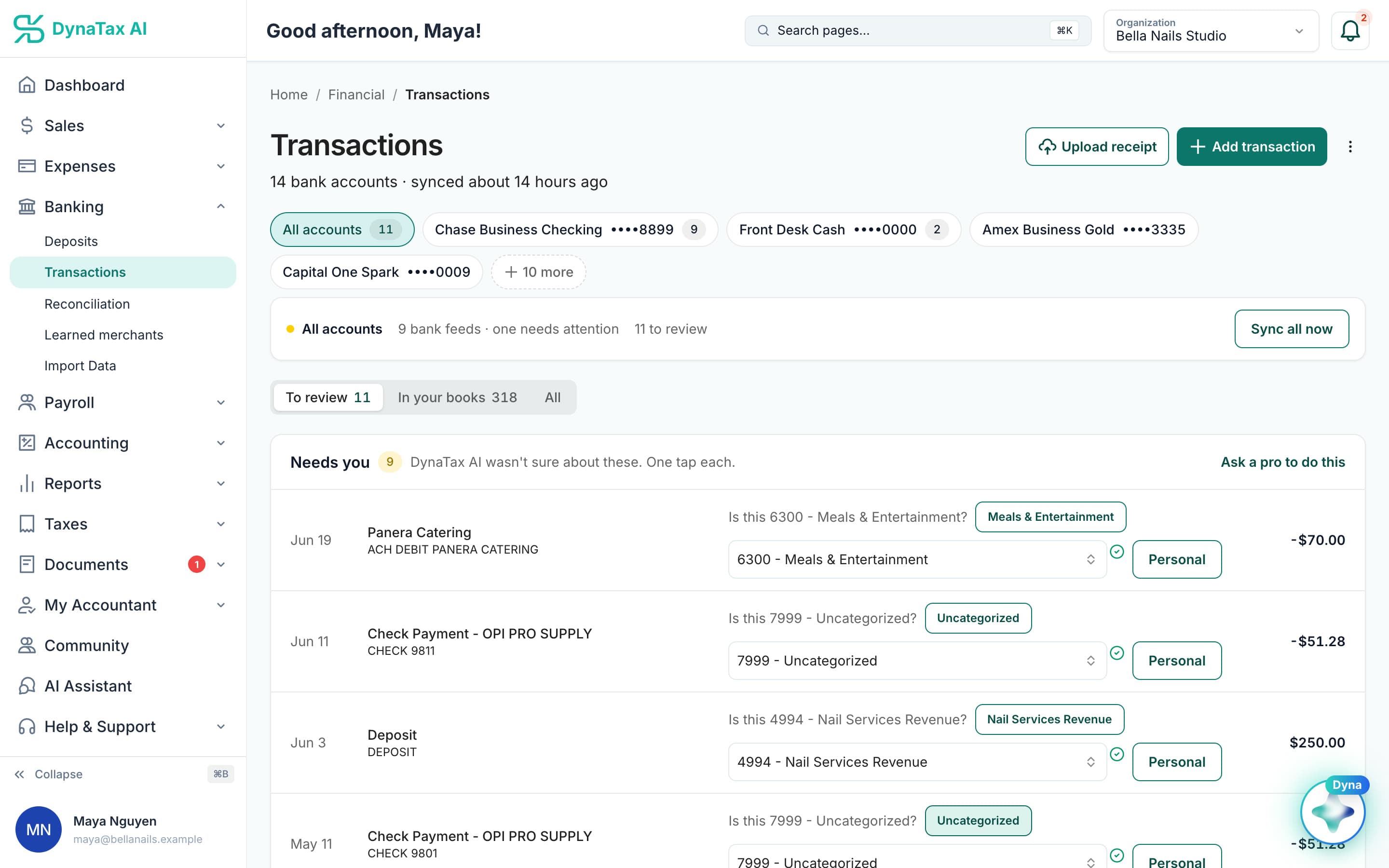
Confirm a merchant once. Next time it arrives already filled in. Sample data.
What it does
Categorize a merchant once and it fills itself in from then on. You never write a rule.
No rule builder
There is no condition editor and no regex. Categorizing a transaction is the whole interaction.
Confirmed, not assumed
A merchant starts filling itself in after it has been confirmed enough times to be sure it is not a coincidence.
Ambiguous merchants keep asking
A merchant that could legitimately be several things — a marketplace that sells both office supplies and equipment — keeps asking rather than guessing.
How it works
How learned merchants works
- 1
Categorize once
Pick the account for a transaction the way you normally would.
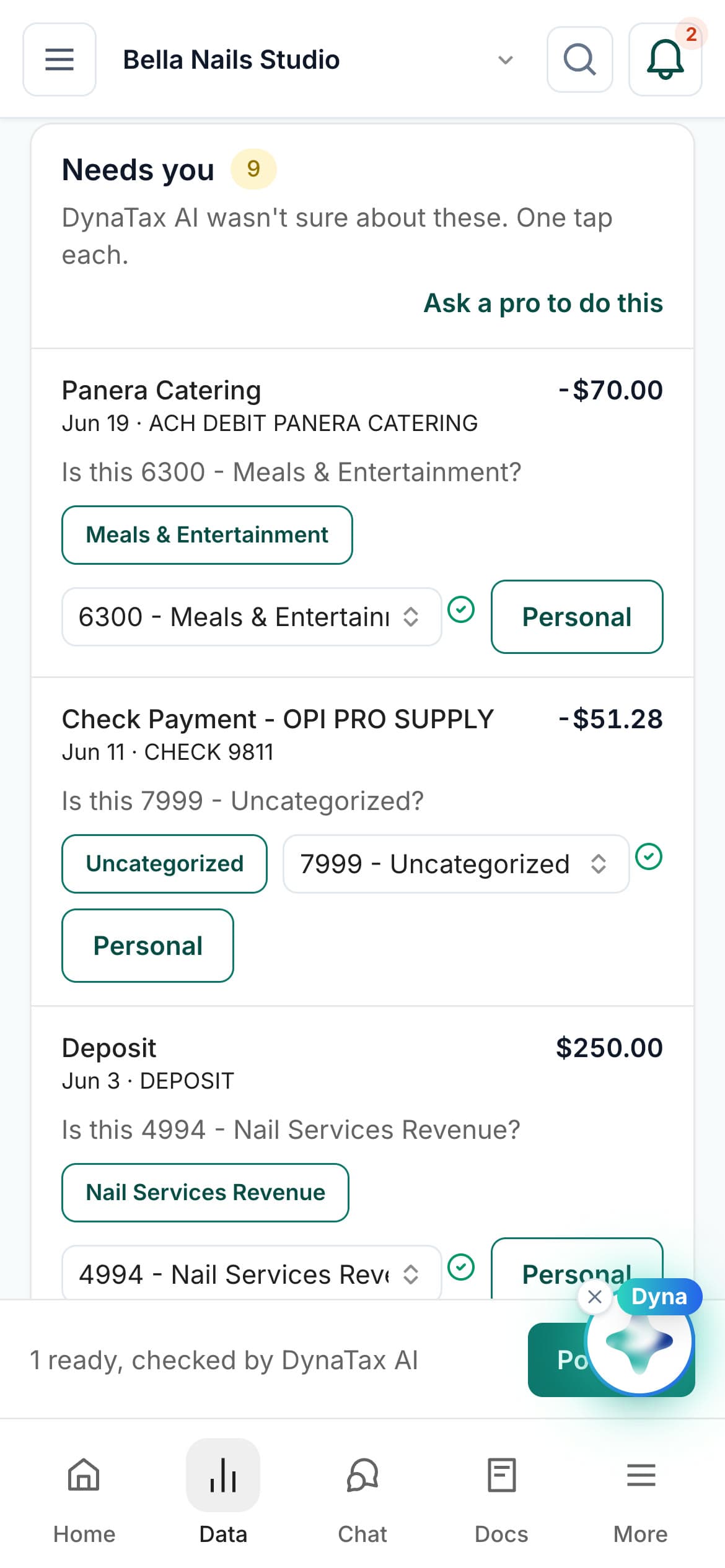
Categorize from your phone; the merchant is remembered either way.
- 2
It remembers the merchant
The choice is stored against that merchant for your business only.
- 3
It applies itself
Once confirmed, the next charge from that merchant arrives already categorized.
The details
Learned merchants, in detail
Three confirmations, then automatic
A merchant moves from Suggested to Auto-applied after you code it to the same category three times. One confirmation is not a pattern. Three charges coded the same way is.
Big-box stores always ask
Stores that sell everything, like Amazon, Walmart, Costco, Home Depot or Staples, are set to Always ask. Your past choices still shape the suggestion, but the category is never applied without you.
A wrong guess corrects itself
If an auto-applied merchant gets coded to a different category, DynaTax AI treats that as a signal. It stops auto-applying and drops back to Suggested, where it has to earn three confirmations again.
Edit, pause or forget
Under Banking → Learned merchants you can change what a merchant maps to, stop it auto-applying, or forget it entirely. Counters at the top show how many merchants are in each state.
Trust
Your books, on your terms
Read-only bank connection
You sign in on your bank’s own screen. DynaTax AI can see balances and transactions. It can’t move money.
You stay in control
Nothing posts without your approval, except merchants you’ve already confirmed above the auto-post threshold.
Your data isn’t training data
Your data isn’t used to train AI unless you turn on Allow AI Training. It’s off by default.
A professional when you want one
Invite your own CPA into your books, or find one in the marketplace. Dyna’s answers are general information, not professional advice.
Plans
Where learned merchants is included
Every paid plan. Every plan starts with a 14-day free trial, no credit card required. Pay yearly and get 12 months for the price of 10.
Bring your books with you: import transactions, your chart of accounts, opening balances, customers, vendors, invoices and bills from CSV, Excel or a QBO/OFX bank download. Switching from QuickBooks
- Starter$29 / month · 1 user
- GrowthRecommended$49 / month · 3 users
- Pro$99 / month · 10 users
Related features
Works well with
FAQ
Learned merchants questions
Run your business. Live your life.


Try learned merchants with your own books for 14 days. Less time on the books, more time for everything else.
No credit card required