Import your books, history and all
Arrive with your history, not a blank ledger.
Switching tools shouldn’t mean retyping years of history. Upload what your old system exports, review it, and start your first week in DynaTax AI with last year’s numbers already in place.
14-day free trial · No credit card required
Included in: Every paid plan
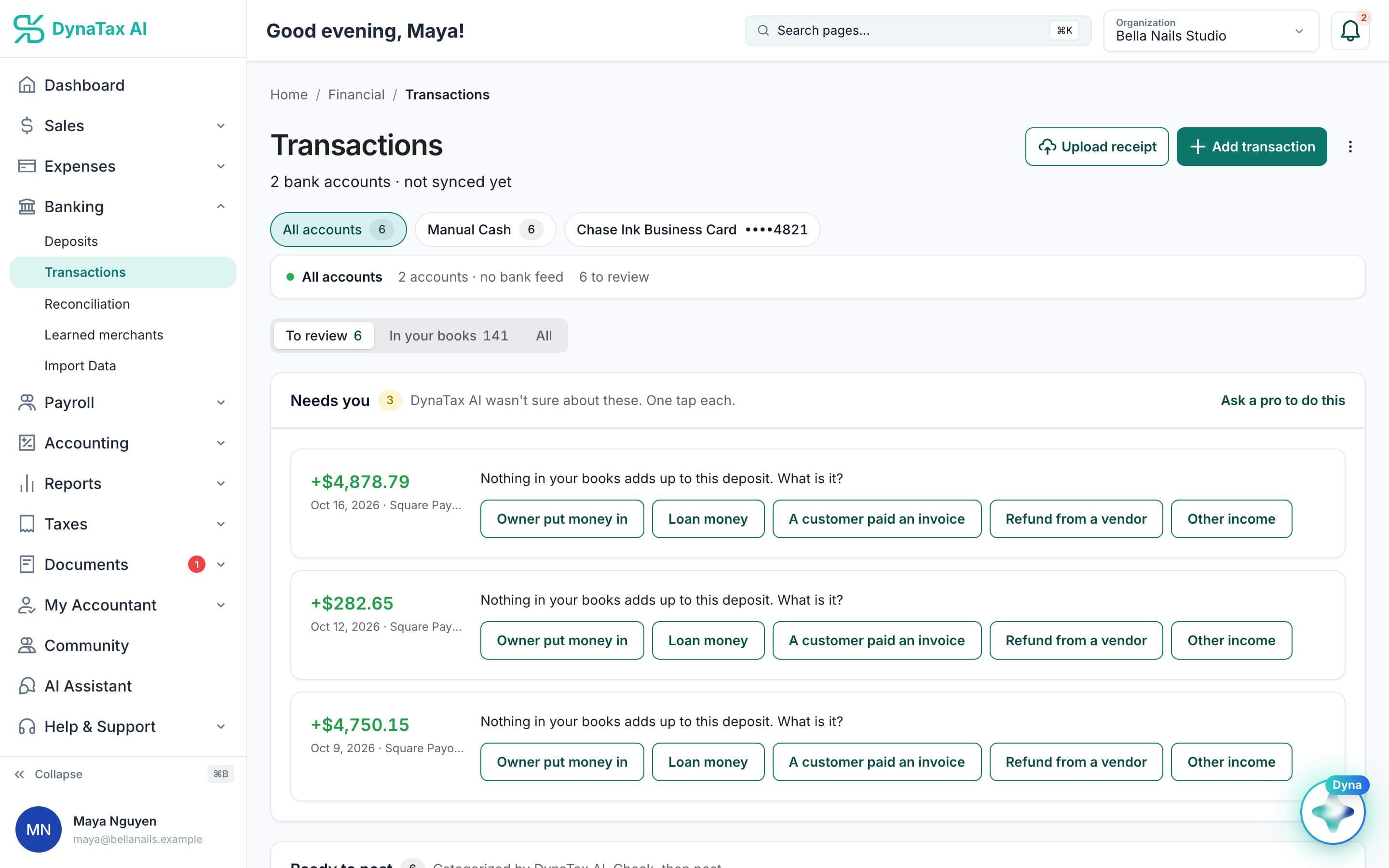
After an import: your history in your books, the few unclear items to review. Sample data.
What it does
Bring transactions, a chart of accounts and journal entries in from your old system.
Imports never count against a limit
Historical import is fully exempt from quota. Moving five years of books costs nothing against your monthly allowance.
More than transactions
Chart of accounts, journal entries and opening balances come across, not just a bank export.
Reviewable before it posts
An import is staged and shown to you before anything lands in your books.
How it works
How import your books works
- 1
Upload the file
A CSV or Excel file, or a QBO/OFX bank download — transactions, a chart of accounts, opening balances or journal entries.
- 2
Review what will land
Rows are mapped and shown to you before anything posts, so a bad column mapping is caught first.
- 3
Post it
The import lands in your books, and it costs nothing against your monthly allowance.
app.dynatax.ai/client/…/dashboard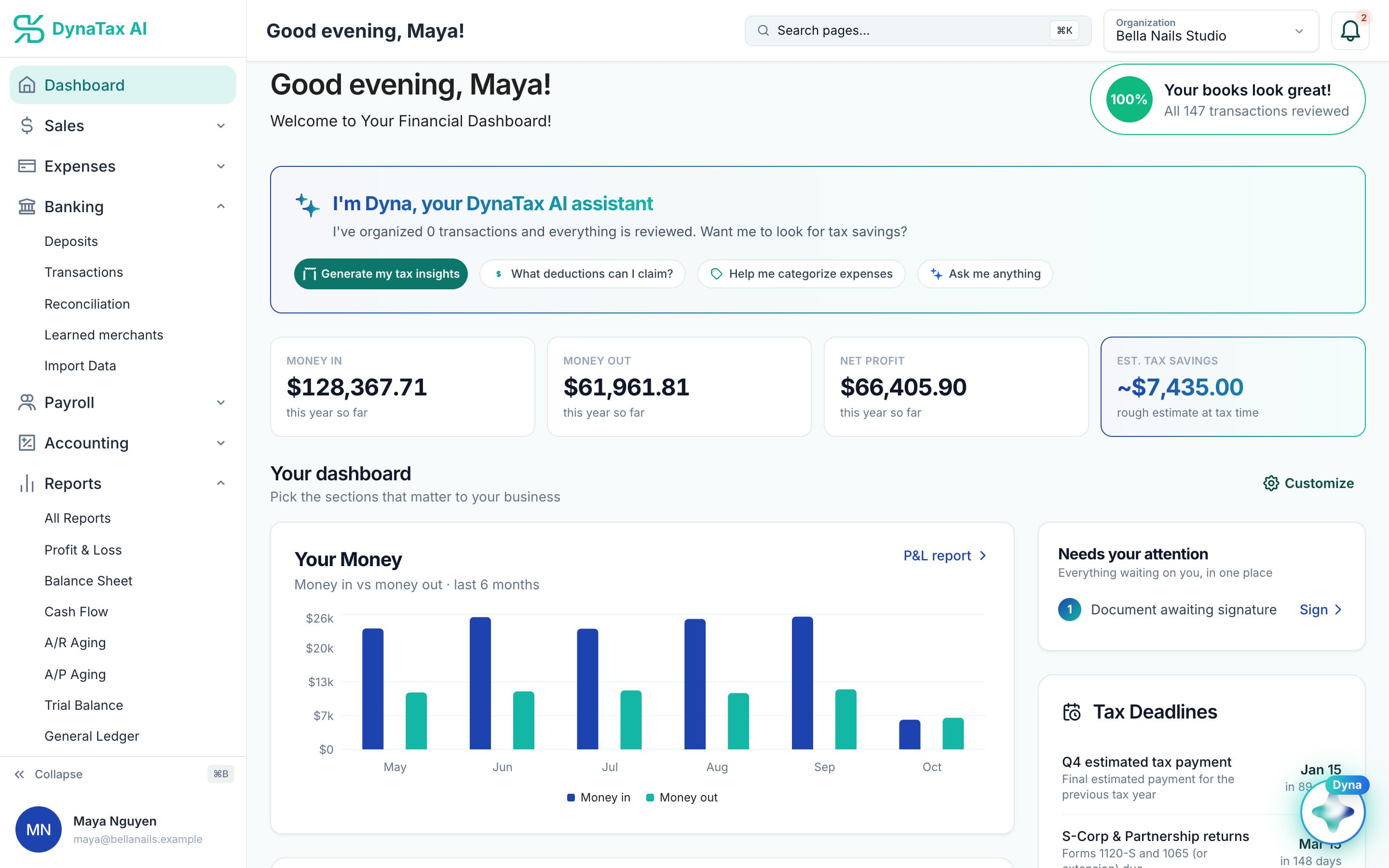
Six months of imported history, charted on day one. Sample data.
The details
Import your books, in detail
Name where the file came from
Pick the source before you upload: QuickBooks, Xero, FreshBooks, or a generic file. Naming the source lets DynaTax AI read the columns correctly instead of guessing from the file extension.
Every format you are likely to have
QBO, QFX and OFX bank downloads, CSV, Excel workbooks (.xlsx and .xls), and JSON or NDJSON for structured exports. CSV files can use comma, semicolon, tab or pipe separators.
More than bank lines
Transactions, chart of accounts, journal entries, invoices, bills, customers and vendors, payments, and products and services. Auto-detect can pick out the record types in a mixed file.
A history of every upload
Each import is listed under Import History with when it came in. Check it before uploading a file you aren’t sure is new, and avoid bringing in the same period twice.
Trust
Your books, on your terms
Read-only bank connection
You sign in on your bank’s own screen. DynaTax AI can see balances and transactions. It can’t move money.
You stay in control
Nothing posts without your approval, except merchants you’ve already confirmed above the auto-post threshold.
Your data isn’t training data
Your data isn’t used to train AI unless you turn on Allow AI Training. It’s off by default.
A professional when you want one
Invite your own CPA into your books, or find one in the marketplace. Dyna’s answers are general information, not professional advice.
Plans
Where import your books is included
Every paid plan. Every plan starts with a 14-day free trial, no credit card required. Pay yearly and get 12 months for the price of 10.
Bring your books with you: import transactions, your chart of accounts, opening balances, customers, vendors, invoices and bills from CSV, Excel or a QBO/OFX bank download. Switching from QuickBooks
- Starter$29 / month · 1 user
- GrowthRecommended$49 / month · 3 users
- Pro$99 / month · 10 users
Related features
Works well with
FAQ
Import your books questions
Run your business. Live your life.


Try import your books with your own books for 14 days. Less time on the books, more time for everything else.
No credit card required