Bank reconciliation with a paper trail
Prove the books match the bank, and keep the proof.
A monthly reconciliation is how you know your reports can be trusted. DynaTax AI keeps it short: start from the statement, tick what cleared, fix small gaps in place, and lock the month with a record you can show anyone.
14-day free trial · No credit card required
Included in: Every paid plan
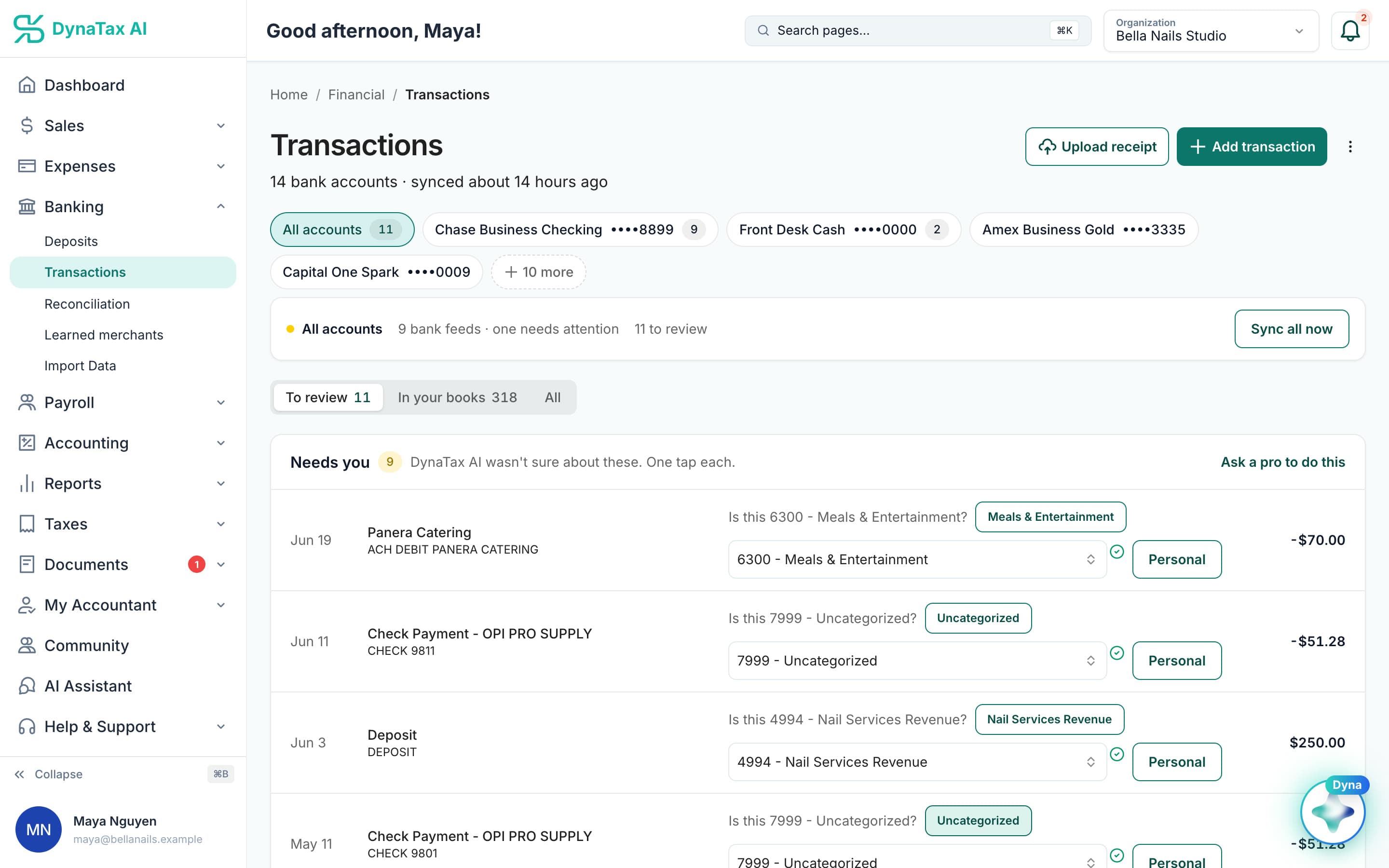
Each account and its feed, side by side — reconciliation works account by account.
What it does
Match your books to the statement, month by month, with a history of every reconciliation.
Statement against books
Work through a month's transactions against the closing balance until the difference is zero.
A history, not a checkbox
Every completed reconciliation is kept with its date, balance and who ran it.
Finds what moved
If a reconciled month stops balancing because something was edited behind it, you can see it.
How it works
How bank reconciliation works
- 1
Pick the account and the month
Enter the statement's closing balance and date.
- 2
Tick off what cleared
Transactions from the feed are listed ready to match; anything missing can be added as you go.
app.dynatax.ai/client/…/dashboard/financial/transactionsTransactions from the feed, ready to tick off. Sample data.
- 3
Close it out
When the difference reaches zero the reconciliation is saved and appears in the history.
The details
Bank reconciliation, in detail
Checking, savings and cards
Reconcile any bank or credit card account under Banking → Reconciliation. The beginning balance is suggested from your last reconciliation, and if you override it you give a reason, which is kept.
Fix fees without leaving
Bank fees, interest and rounding that aren’t in your books can be recorded with the Adjust button. The adjusting entry posts from inside the reconciliation, so you don’t lose your place.
Stop and come back
Save for later keeps a reconciliation in progress. Sync Items pulls in transactions that were imported after you started, so a late import doesn’t mean starting over.
Completed means locked
When the difference is zero, complete it. The reconciliation is locked, the cleared transactions can’t be changed from within it, and you can generate a reconciliation report for your records.
Trust
Your books, on your terms
Read-only bank connection
You sign in on your bank’s own screen. DynaTax AI can see balances and transactions. It can’t move money.
You stay in control
Nothing posts without your approval, except merchants you’ve already confirmed above the auto-post threshold.
Your data isn’t training data
Your data isn’t used to train AI unless you turn on Allow AI Training. It’s off by default.
A professional when you want one
Invite your own CPA into your books, or find one in the marketplace. Dyna’s answers are general information, not professional advice.
Plans
Where bank reconciliation is included
Every paid plan. Every plan starts with a 14-day free trial, no credit card required. Pay yearly and get 12 months for the price of 10.
Bring your books with you: import transactions, your chart of accounts, opening balances, customers, vendors, invoices and bills from CSV, Excel or a QBO/OFX bank download. Switching from QuickBooks
- Starter$29 / month · 1 user
- GrowthRecommended$49 / month · 3 users
- Pro$99 / month · 10 users
Related features
Works well with
FAQ
Bank reconciliation questions
Run your business. Live your life.


Try bank reconciliation with your own books for 14 days. Less time on the books, more time for everything else.
No credit card required