Close the books, and keep them closed
A closed period stays closed until someone decides otherwise.
Once a month is final, lock it and move on. A closed month cannot change behind you, so the report you sent your lender and the reconciliation you signed off stay true.
14-day free trial · No credit card required
Included in: Every paid plan
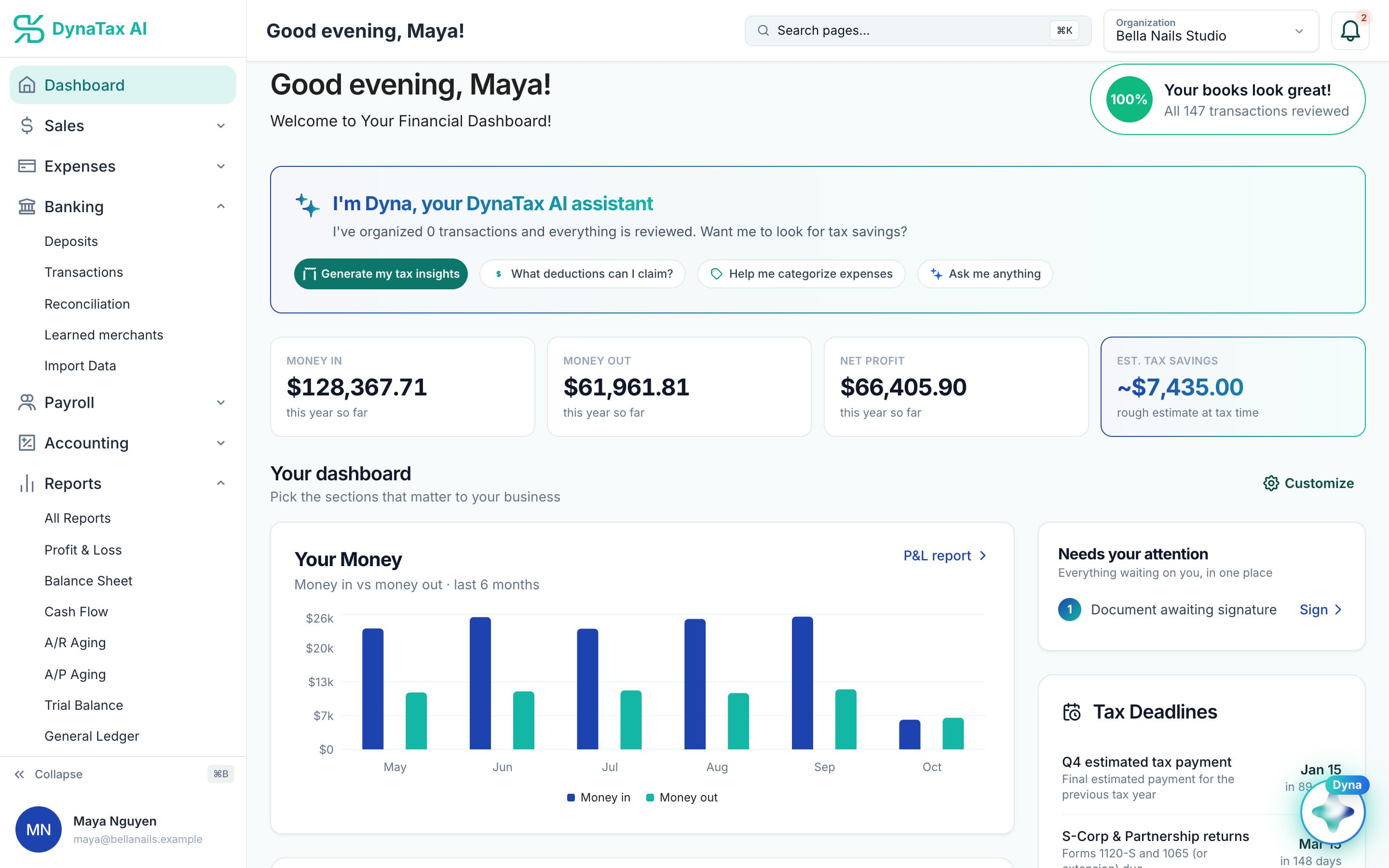
Know everything is reviewed before you close the month. Sample data.
What it does
Lock a finished month or year so nothing changes behind you — and reopen it deliberately when it must.
Sequential by design
Periods close in order, so you cannot close December while October is still open.
Reopening cascades
Reopening an earlier period reopens the ones after it, because a change back there changes everything downstream.
On every paid plan
Closing the books is the last step of the accounting cycle, not an upgrade. Every paid plan can complete the cycle.
How it works
How close the books works
- 1
Run the pre-close checks
See what is unreconciled, uncategorized or unbalanced before you lock anything.
app.dynatax.ai/client/…/dashboard/financial/transactions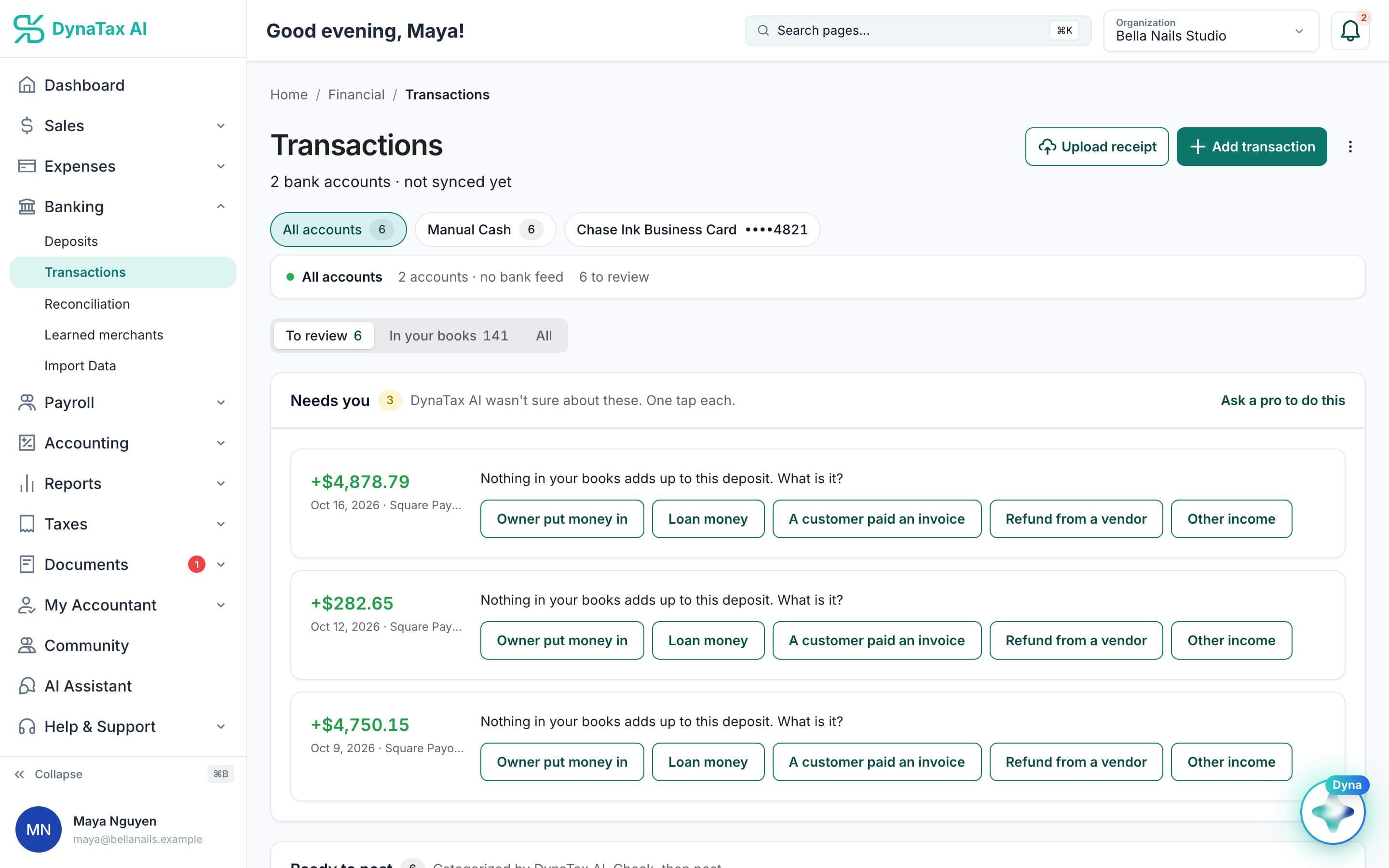
The pre-close starts with what is still to review.
- 2
Close the period
The month or year locks; entries in it can no longer be changed by accident.
- 3
Reopen deliberately if you must
Reopening is a decision with a reason attached, and it cascades to later periods.
The details
Close the books, in detail
Checks before you close
Closing runs a checklist first. The trial balance must balance, no draft journal entries can be left in the month, and no transaction can still be waiting to be categorized.
A record of who closed it
Each closed month shows its close date and who closed it. Every journal entry in the month is stamped as closed. Your accountant is notified when you close a period yourself.
Close the year
The fiscal-year close sweeps net income into retained earnings, the same step an accountant would make by hand at year end.
Start wherever your books start
Joined DynaTax AI mid-year? Months before your books begin do not block anything. You can start closing from the first month with activity.
Trust
Your books, on your terms
Read-only bank connection
You sign in on your bank’s own screen. DynaTax AI can see balances and transactions. It can’t move money.
You stay in control
Nothing posts without your approval, except merchants you’ve already confirmed above the auto-post threshold.
Your data isn’t training data
Your data isn’t used to train AI unless you turn on Allow AI Training. It’s off by default.
A professional when you want one
Invite your own CPA into your books, or find one in the marketplace. Dyna’s answers are general information, not professional advice.
Plans
Where close the books is included
Every paid plan. Every plan starts with a 14-day free trial, no credit card required. Pay yearly and get 12 months for the price of 10.
Bring your books with you: import transactions, your chart of accounts, opening balances, customers, vendors, invoices and bills from CSV, Excel or a QBO/OFX bank download. Switching from QuickBooks
- Starter$29 / month · 1 user
- GrowthRecommended$49 / month · 3 users
- Pro$99 / month · 10 users
Related features
Works well with
FAQ
Close the books questions
Run your business. Live your life.


Try close the books with your own books for 14 days. Less time on the books, more time for everything else.
No credit card required