Chart of accounts
The backbone your accountant expects to find.
Every transaction lands in an account, and your reports are those accounts added up. Start from a chart that fits your business, keep it short, and categorizing gets faster while your reports start answering real questions.
14-day free trial · No credit card required
Included in: Every paid plan
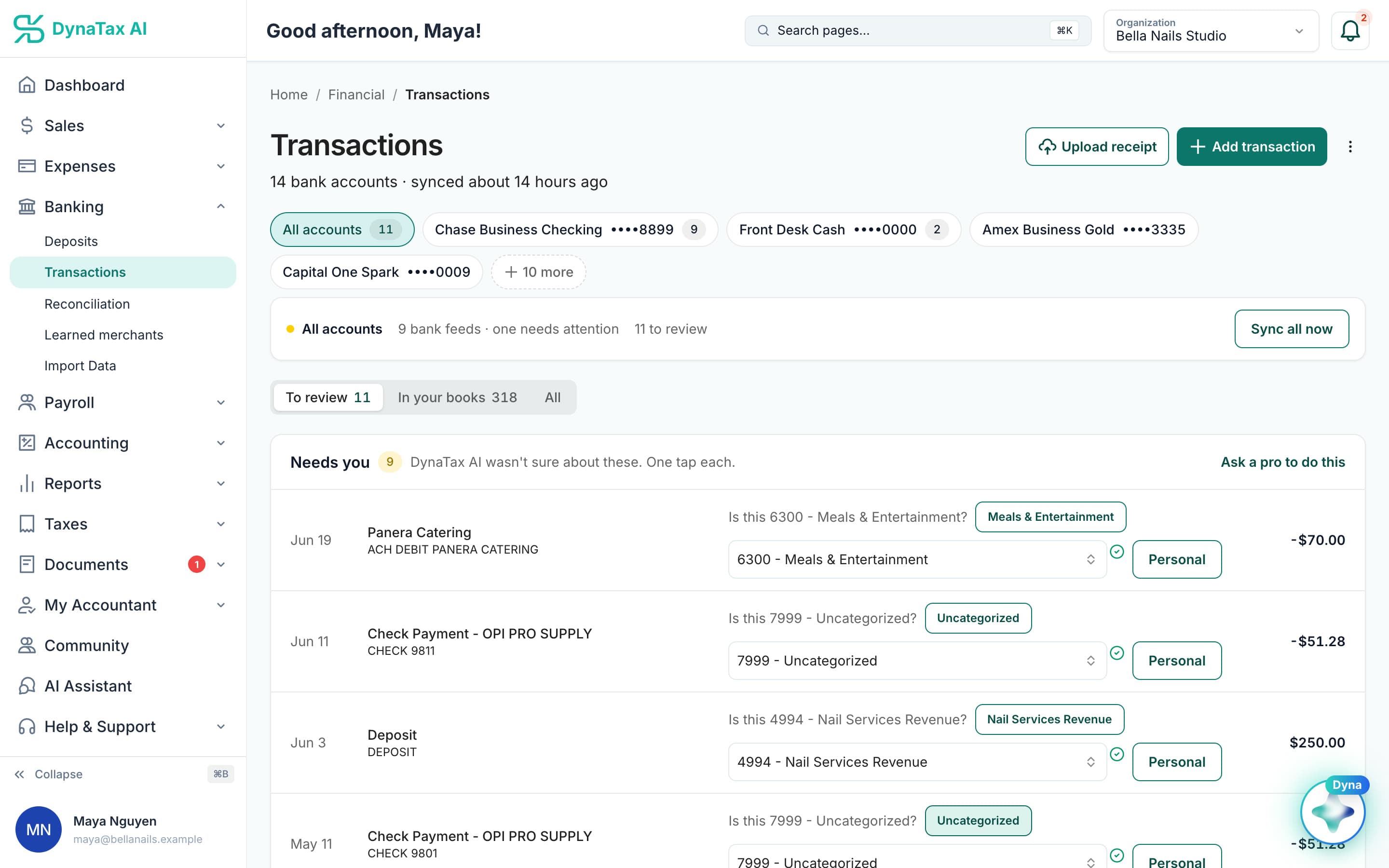
Every suggestion is a numbered account from your chart. Sample data.
What it does
A real chart of accounts, sized to your entity type — not a fixed list of categories.
Sized to your entity
A sole proprietor and an S-Corp do not need the same accounts, and do not get the same starting set.
Yours to shape
Add, rename and organise accounts. It is your chart, not a fixed category list.
Everything posts through it
Categorization, invoices, bills and journal entries all resolve to a real account.
How it works
How chart of accounts works
- 1
Start from a real chart
Set up from your entity type rather than a generic list.
- 2
Adjust it
Add the accounts your business actually uses and retire the ones it does not.
- 3
Use it everywhere
Every posting picks an account from here, which is what makes the reports work.
app.dynatax.ai/client/…/dashboard/financial/reports/profit-and-loss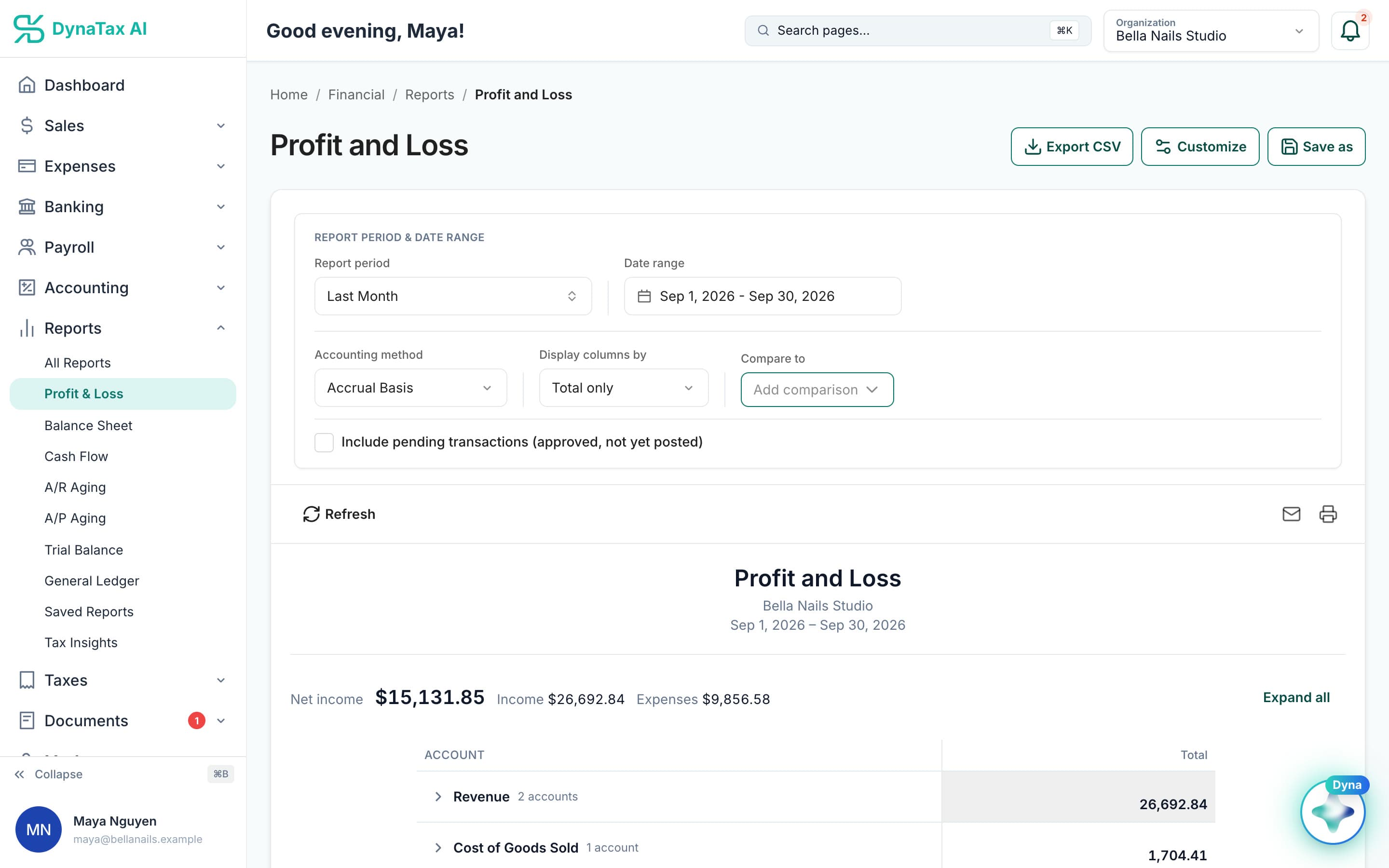
Reports roll up by account, so the chart is what makes them read right.
The details
Chart of accounts, in detail
Six account types
Every account is an asset, liability, equity, revenue, cost of goods sold or expense. The type decides which report it appears on, and on which side of gross profit.
Cost of goods sold, kept apart
Materials and per-job costs sit in cost of goods sold, above gross profit. Rent and software sit in expenses below it. You see your margin, not one blended number.
Import from a CSV
Bring an existing chart in with code, name and type columns, plus an optional category. An unknown type stops the import and names the row, so a typo never files accounts in the wrong place.
Numbered in report order
Each account has a code. Follow the usual convention, assets in the 1000s through expenses in the 6000s, and your accounts sort in the order your reports read.
Trust
Your books, on your terms
Read-only bank connection
You sign in on your bank’s own screen. DynaTax AI can see balances and transactions. It can’t move money.
You stay in control
Nothing posts without your approval, except merchants you’ve already confirmed above the auto-post threshold.
Your data isn’t training data
Your data isn’t used to train AI unless you turn on Allow AI Training. It’s off by default.
A professional when you want one
Invite your own CPA into your books, or find one in the marketplace. Dyna’s answers are general information, not professional advice.
Plans
Where chart of accounts is included
Every paid plan. Every plan starts with a 14-day free trial, no credit card required. Pay yearly and get 12 months for the price of 10.
Bring your books with you: import transactions, your chart of accounts, opening balances, customers, vendors, invoices and bills from CSV, Excel or a QBO/OFX bank download. Switching from QuickBooks
- Starter$29 / month · 1 user
- GrowthRecommended$49 / month · 3 users
- Pro$99 / month · 10 users
Related features
Works well with
FAQ
Chart of accounts questions
Run your business. Live your life.


Try chart of accounts with your own books for 14 days. Less time on the books, more time for everything else.
No credit card required