Entity & business profile
Sole prop, LLC or S-Corp changes the answer. Tell us once.
Tell DynaTax AI what your business is once, and the rest follows. Your entity type and tax year shape how your books and tax estimates behave, so you are not re-entering the same details in every report.
14-day free trial · No credit card required
Included in: Every plan
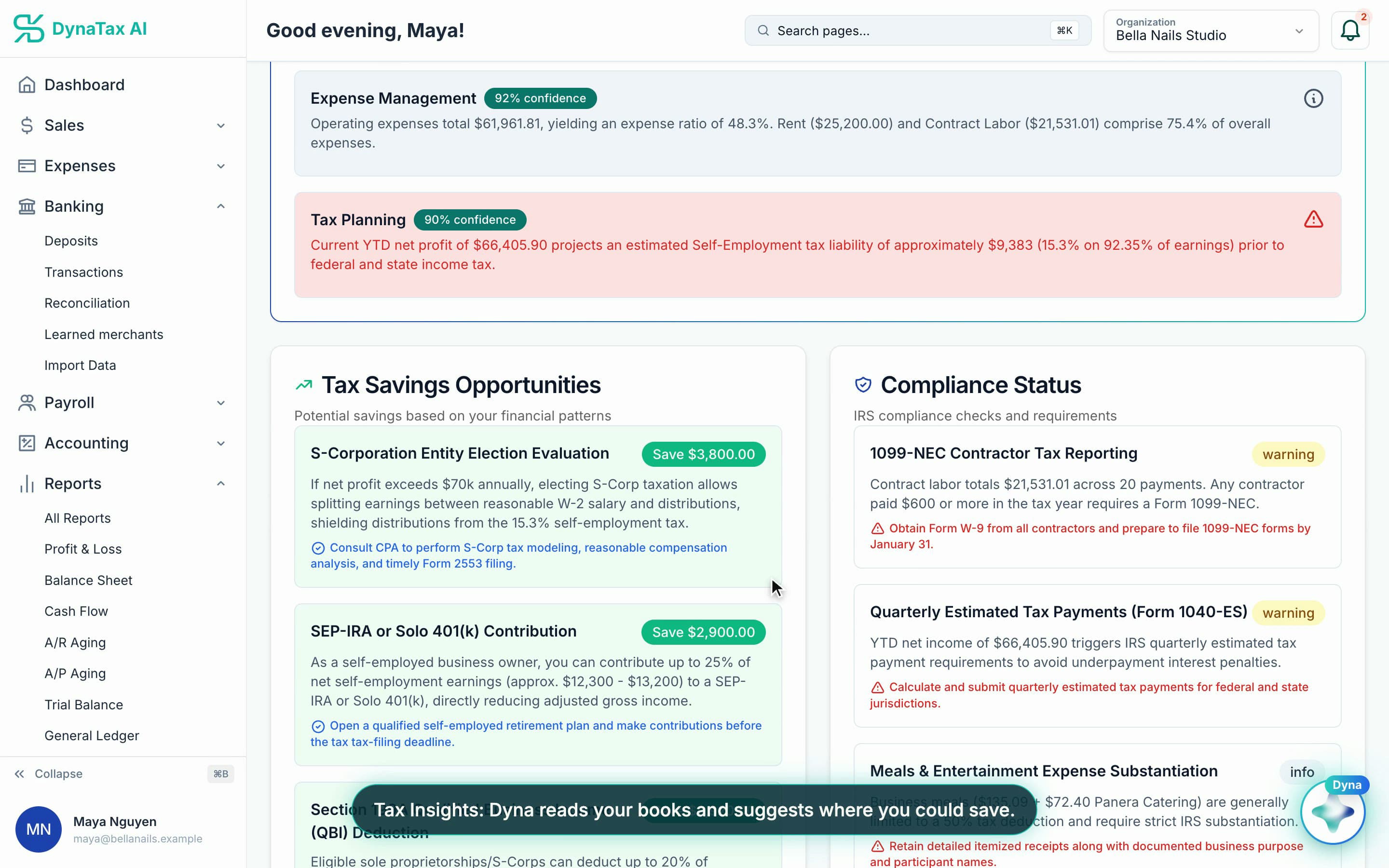
Your entity shapes the advice — like whether an S-Corp election is worth a look. Sample data.
What it does
Your entity type, EIN and fiscal year — the settings that change how your books and tax estimates behave.
Entity type changes the answer
Sole proprietor, LLC, partnership and S-Corp are taxed differently, so the books and estimates follow what you are.
One place for the details
Legal name, EIN and fiscal year end, used across reports and tax estimates.
Set it and forget it
Change it when the business changes; nothing else needs re-entering.
How it works
How entity & business profile works
- 1
Tell us the entity
Pick what the business actually is.
- 2
Add the identifiers
Legal name, EIN and year end.
- 3
Everything downstream adjusts
Reports and tax estimates use it from then on.
The details
Entity & business profile, in detail
Seven entity types
Sole proprietor, single-member LLC, multi-member LLC, partnership, S-Corp, C-Corp or nonprofit. Pick the one you are, and the tax treatment follows it.
The return each one files
A sole prop or single-member LLC files Schedule C. An S-Corp files Form 1120-S, a partnership or multi-member LLC Form 1065, a C-Corp Form 1120. The profile shows which applies to you.
The details accountants ask for
Legal name, DBA, formation date, state of formation, NAICS code, what you sell, and your tax year end. An S-Corp election date can be recorded too.
Edited in one place
Company details live in your organization settings. Change them there and every report and estimate reads the new values.
Trust
Your books, on your terms
Read-only bank connection
You sign in on your bank’s own screen. DynaTax AI can see balances and transactions. It can’t move money.
You stay in control
Nothing posts without your approval, except merchants you’ve already confirmed above the auto-post threshold.
Your data isn’t training data
Your data isn’t used to train AI unless you turn on Allow AI Training. It’s off by default.
A professional when you want one
Invite your own CPA into your books, or find one in the marketplace. Dyna’s answers are general information, not professional advice.
Plans
Where entity & business profile is included
Every plan. Every plan starts with a 14-day free trial, no credit card required. Pay yearly and get 12 months for the price of 10.
Bring your books with you: import transactions, your chart of accounts, opening balances, customers, vendors, invoices and bills from CSV, Excel or a QBO/OFX bank download. Switching from QuickBooks
- Starter$29 / month · 1 user
- GrowthRecommended$49 / month · 3 users
- Pro$99 / month · 10 users
Related features
Works well with
FAQ
Entity & business profile questions
Run your business. Live your life.


Try entity & business profile with your own books for 14 days. Less time on the books, more time for everything else.
No credit card required