Who owes you: accounts receivable, sorted by age
Every unpaid invoice, sorted by how late it is.
Know who to call before the money is late, not after. Every open invoice sits in one view, sorted by how overdue it is, so chasing payments takes minutes instead of a spreadsheet afternoon.
14-day free trial · No credit card required
Included in: Every paid plan
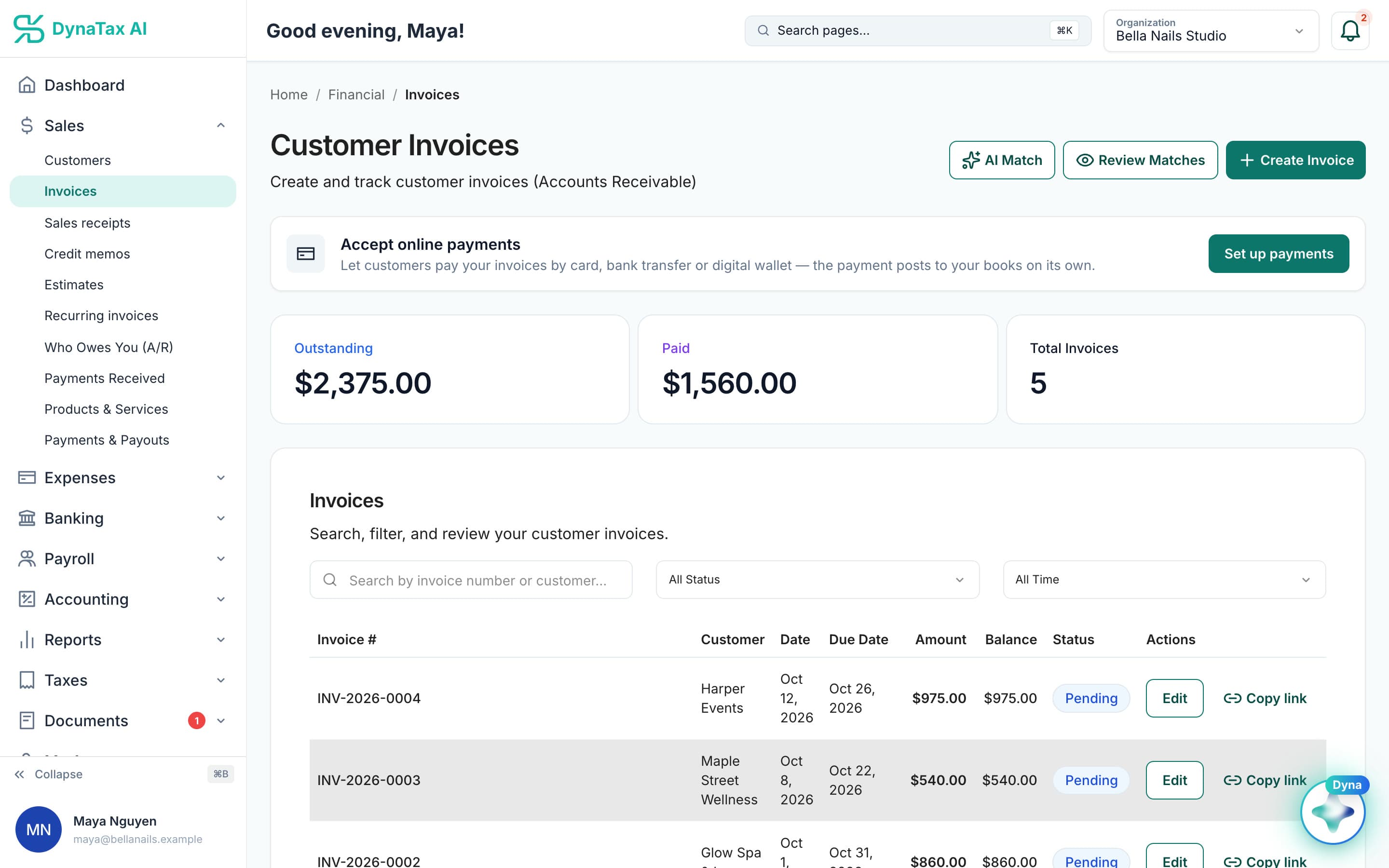
What is outstanding, before you open a single invoice. Sample data.
What it does
Receivables by customer and by age, so you know who to chase before it hurts.
Sorted by how late
Current, 30, 60, 90 days and beyond, per customer.
Summary or detail
A total per customer when you want the shape, invoice by invoice when you want to chase.
Straight from the ledger
Aging reads your books, so a payment recorded this morning is reflected now.
How it works
How who owes you works
- 1
Send invoices as normal
Every open invoice is a receivable the moment it goes out.
app.dynatax.ai/client/…/dashboard/financial/invoicesEach open invoice shows its due date and balance.
- 2
Open the aging report
Choose summary or detail, and the as-of date.
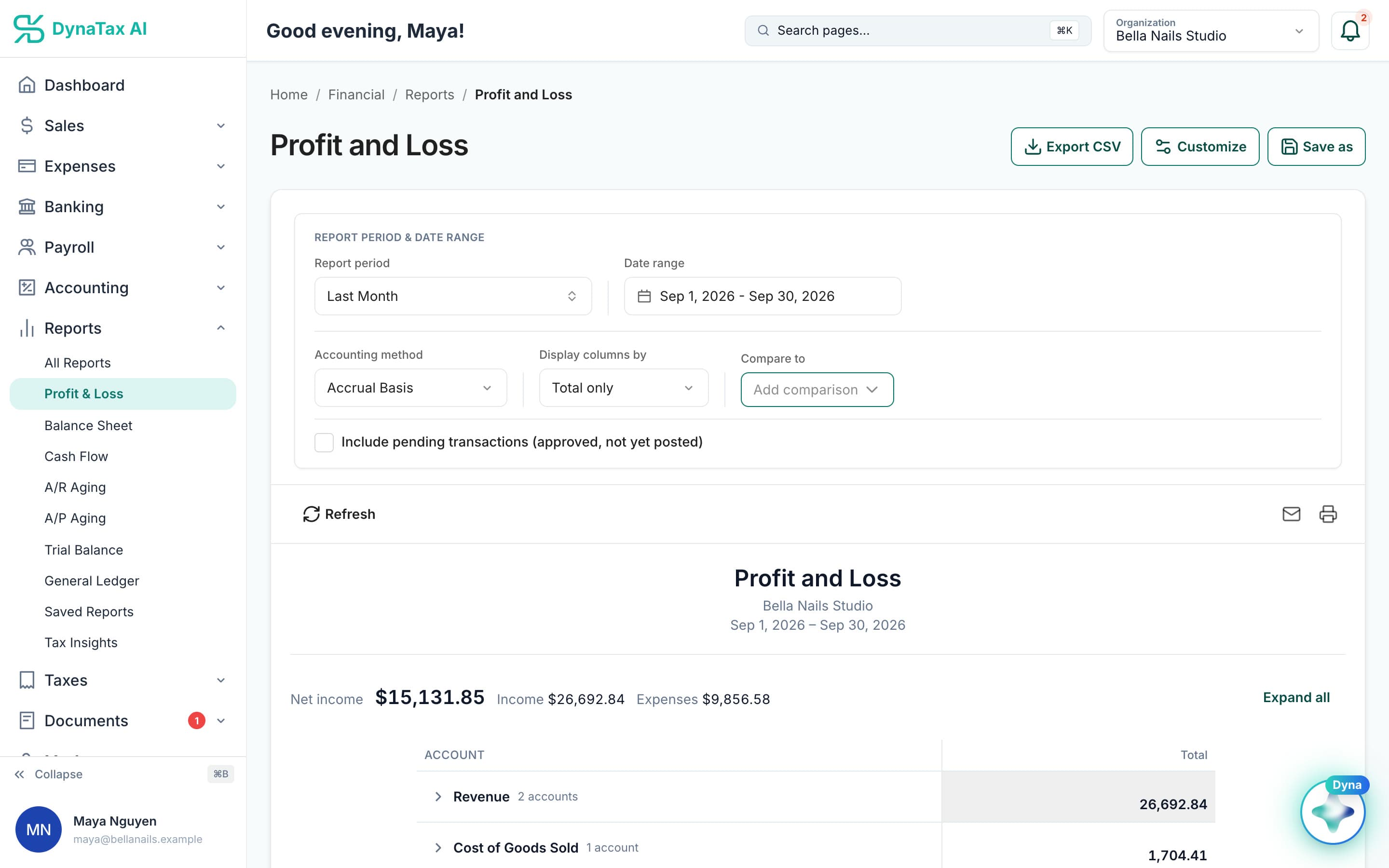
A/R Aging sits with the rest of your reports.
- 3
Chase what is red
Work the oldest column first; paid invoices drop off on their own.
The details
Who owes you, in detail
More than one aging report
Run accounts receivable aging as a summary or invoice by invoice, plus Open Invoices, a Collections Report, and Customer Balance in summary or detail. Each one reads the same live books.
Credits count against the balance
A credit memo applied to an invoice lowers what the customer owes. Unapplied credit stays with the customer, so the balance you chase is the balance they really owe.
Write off what will not come
When an invoice will not be paid, write it off. It leaves your receivables, so an old balance stops hiding the ones you can still collect.
Your customer list, in context
Open a customer to see their invoices and payments together. Income by Customer and Sales by Customer reports show who your business depends on most.
Trust
Your books, on your terms
Read-only bank connection
You sign in on your bank’s own screen. DynaTax AI can see balances and transactions. It can’t move money.
You stay in control
Nothing posts without your approval, except merchants you’ve already confirmed above the auto-post threshold.
Your data isn’t training data
Your data isn’t used to train AI unless you turn on Allow AI Training. It’s off by default.
A professional when you want one
Invite your own CPA into your books, or find one in the marketplace. Dyna’s answers are general information, not professional advice.
Plans
Where who owes you is included
Every paid plan. Every plan starts with a 14-day free trial, no credit card required. Pay yearly and get 12 months for the price of 10.
Bring your books with you: import transactions, your chart of accounts, opening balances, customers, vendors, invoices and bills from CSV, Excel or a QBO/OFX bank download. Switching from QuickBooks
- Starter$29 / month · 1 user
- GrowthRecommended$49 / month · 3 users
- Pro$99 / month · 10 users
Related features
Works well with
FAQ
Who owes you questions
Run your business. Live your life.


Try who owes you with your own books for 14 days. Less time on the books, more time for everything else.
No credit card required