Invite your CPA into the books you already keep
Your accountant works in your books, not on a copy of them.
Month end stops being a file swap. Your accountant opens the same books you work in, so their questions arrive next to the numbers and nothing is three weeks out of date. You spend less time preparing exports and more time on the business.
14-day free trial · No credit card required
Included in: Every paid plan
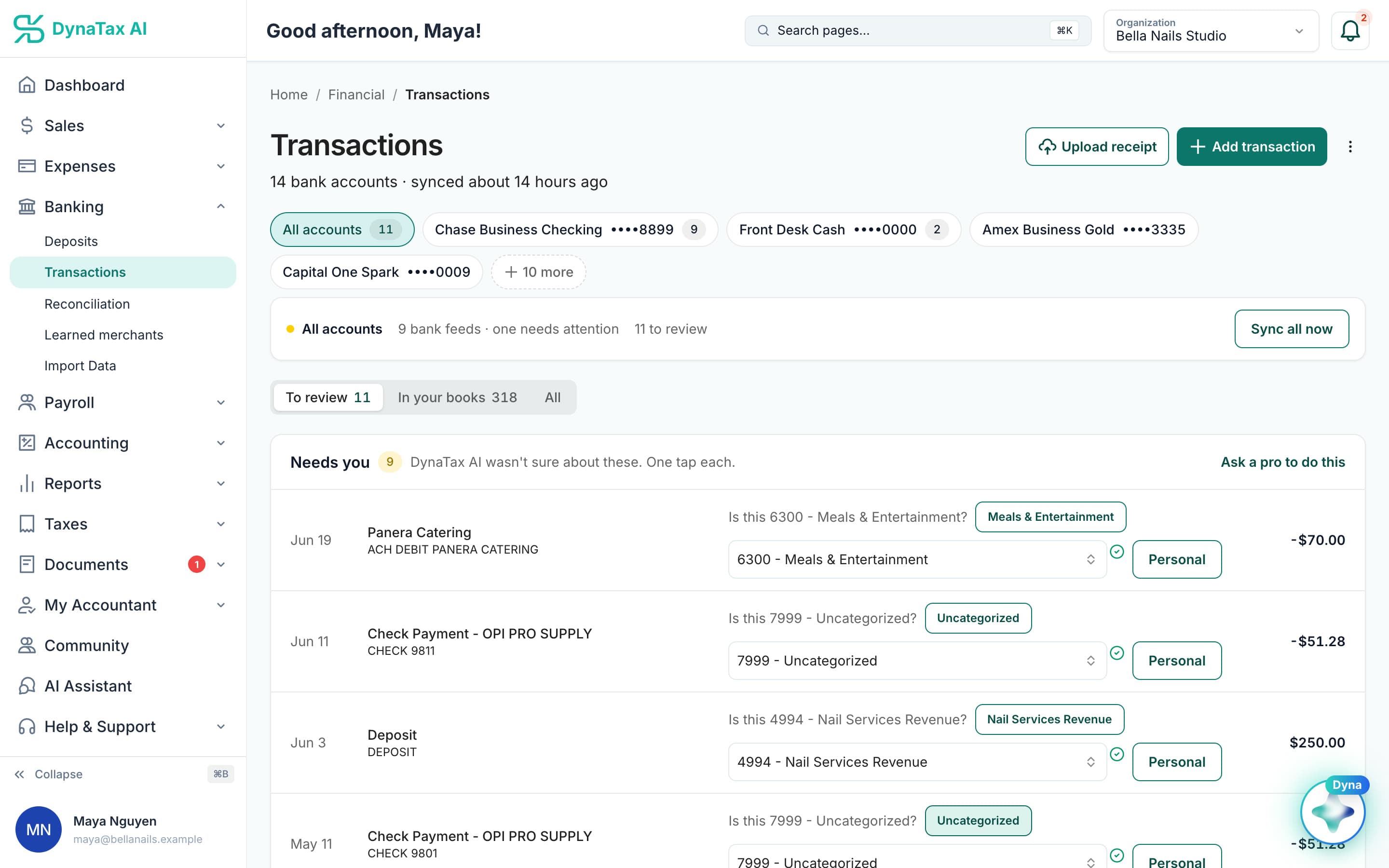
Not sure? Hand the question to your professional from the review itself.
What it does
Bring your own accountant into your books — the same workspace, not a shared export.
One set of books
No exports, no month-end file swap, no version that is three weeks behind.
You keep control
You invite them, you set what they can see, and you can end it.
Or find one here
No accountant yet? The marketplace has professionals who already work in DynaTax AI.
How it works
How invite your CPA works
- 1
Send the invitation
By email, from your workspace.
- 2
They accept
Your accountant joins your books through their own firm account.
- 3
You work in one place
Messages, tasks, documents and the ledger are shared — no exports, no version drift.
The details
Invite your CPA, in detail
Any kind of professional
Invite a current CPA, a tax preparer, a bookkeeper, an enrolled agent, an accounting firm or a tax advisor. Add their name, email and firm, and an optional personal message that goes with the invitation.
Say what they help with
Pick the services they cover: tax, bookkeeping, advisory, compliance or consulting. You can make them your default tax professional or default bookkeeper, so future work is assigned to them automatically.
Already on DynaTax AI?
As you type, DynaTax AI looks up firms that already use it and can link the invitation to an existing firm. Otherwise your professional gets an email with setup instructions and creates a professional account.
You hear when they join
You are notified when your professional accepts. From then on messages, tasks, documents and the ledger are shared in one workspace, and you can end their access whenever you choose.
Trust
Your books, on your terms
Read-only bank connection
You sign in on your bank’s own screen. DynaTax AI can see balances and transactions. It can’t move money.
You stay in control
Nothing posts without your approval, except merchants you’ve already confirmed above the auto-post threshold.
Your data isn’t training data
Your data isn’t used to train AI unless you turn on Allow AI Training. It’s off by default.
A professional when you want one
Invite your own CPA into your books, or find one in the marketplace. Dyna’s answers are general information, not professional advice.
Plans
Where invite your CPA is included
Every paid plan. Every plan starts with a 14-day free trial, no credit card required. Pay yearly and get 12 months for the price of 10.
Bring your books with you: import transactions, your chart of accounts, opening balances, customers, vendors, invoices and bills from CSV, Excel or a QBO/OFX bank download. Switching from QuickBooks
- Starter$29 / month · 1 user
- GrowthRecommended$49 / month · 3 users
- Pro$99 / month · 10 users
Related features
Works well with
FAQ
Invite your CPA questions
Run your business. Live your life.


Try invite your CPA with your own books for 14 days. Less time on the books, more time for everything else.
No credit card required